Integrations
Put it in Studio once. It shows everywhere.
Add an event, a venue or a room once in Studio. It shows on the region’s site and app, on your own website, on your partners’ sites and in people’s calendars, looking like it belongs there and always up to date.
Where your listings can go
- WYour own websiteAny site at all. Copy one line from Studio and paste it in.
- WPWordPressAdd the plugin, choose the feed, done.
- SqSquarespacePaste it into a Code block.
Studio
Add the event, the venue or the room once.
Always up to date
 hampshire.eventsA region’s whole website, run from it
- WxWixDrop it into an Embed element.
- WfWebflowPaste it into an Embed element.
- CalGoogle, Apple and Outlook calendarsSubscribe once and new events appear on their own.
How it goes on
Wherever your website lives, it works there.
You don’t need a developer. Build the feed in Studio, copy what it gives you, and paste it into the page. Studio shows the steps for each of these, with your own feed already filled in.
Need the technical details? It’s all in Studio.
- W
Your own website
Any website at all. Studio gives you one line to copy; paste it where the listings should go.
- WP
WordPress
Install the plugin from Studio, choose your feed and add it to any page.
- Sq
Squarespace
Paste the line from Studio into a Code block on the page.
- Wx
Wix
Add an Embed element and paste in what Studio gives you.
- Wf
Webflow
Drop an Embed element on the page and paste it in.
- Cal
Google, Apple and Outlook
Subscribe to a region’s calendar once; new events turn up in your own calendar on their own.
Why it helps
Less admin, more people in the room.
Styled to match your site
Pick the colours, fonts, corners and wording in Studio, and see it change as you go.
One feed, as many sites as you like
Put the same listings on your website, a partner’s and a sponsor’s. Change them once.
Always up to date
New events appear and cancelled ones go, everywhere, the moment you change them in Studio.
No double entry
Nothing to copy across by hand and nothing to keep in step. One place to add it, every place to see it.
What you can show
Five things you can put on a site.
Organisers, venues and a region’s team each build their own in Studio: what it covers, how it looks and what it says.
Your events
A list, a calendar or a map of what’s coming up: all of yours, or just one town, venue or kind of event.
A venue directory
Venues people can search, each with its arrival guide: parking, stations and which door to use.
An organiser directory
The groups that meet, where they meet and what they have coming up.
Room hire
One venue’s rooms, rates and booked-out dates, with an enquiry form that goes straight to the venue’s team.
A search bar
Just a search box for a header or homepage, with suggestions as people type.
A region’s own website
Run your own website, and let the app send people to it.
A region can run a whole public website of its own from Studio, the way hampshire.events does. Tell Studio about it, and the app hands visitors over to it.
- 01
Tell Studio where your site is
A region gives its own website’s address and where its events, venues and organisers pages live.
- 02
Visitors land on your site
Anyone who arrives at the app’s public pages is sent on to the same page on your website.
- 03
Booking stays where it works
Events booked in the app keep their page in the app, with the booking, tickets and waitlist.
- 04
Your logo goes home
The logo on the sign-in screens can link back to your website instead of the app.
This site
Built the same way.
The events, venues and organisers on businesseventstack.com come straight from Studio too. Nobody types them in twice.
Powered by Business Event Stack
hampshire.events is a whole region, run on the system.
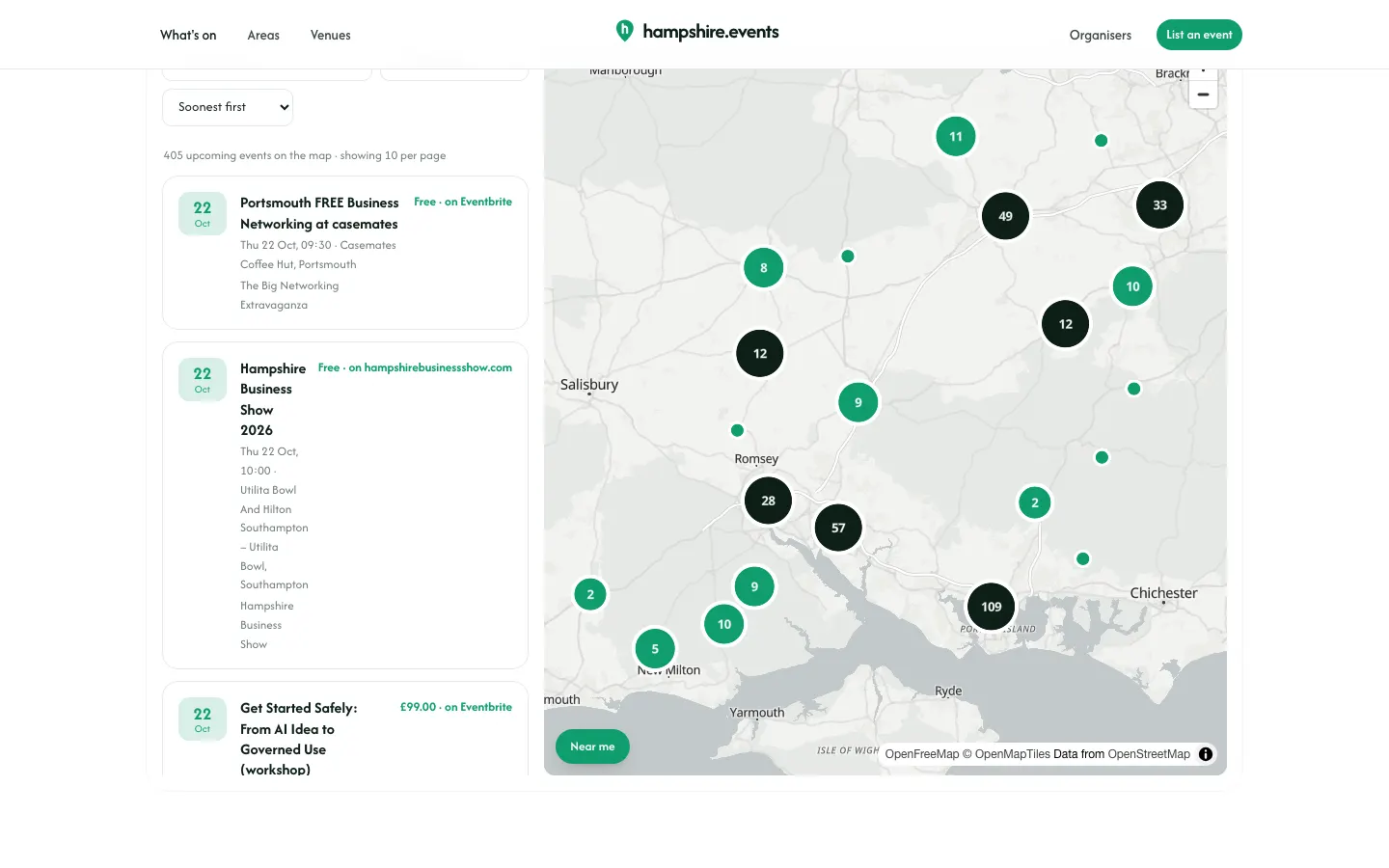
hampshire.events has its own name, colours and design. Underneath, Business Event Stack does the work: every event, venue and organiser on it is added once in Studio and shows up on the site by itself. No second system, no copying listings across by hand.

hampshire.events
Hampshire Business Events
A search bar
On the homepage, searching the region’s events, venues and organisers with suggestions as you type.
Map beside the list
The What’s on page: move the map and the list follows.
A page for everything
Every venue, organiser, town and event has its own page, with the full arrival detail, kept in step with Studio.
Booking stays in the app
People who land on the app’s public pages are sent to the same page on the site. Bookings, tickets and waitlists stay in the app.
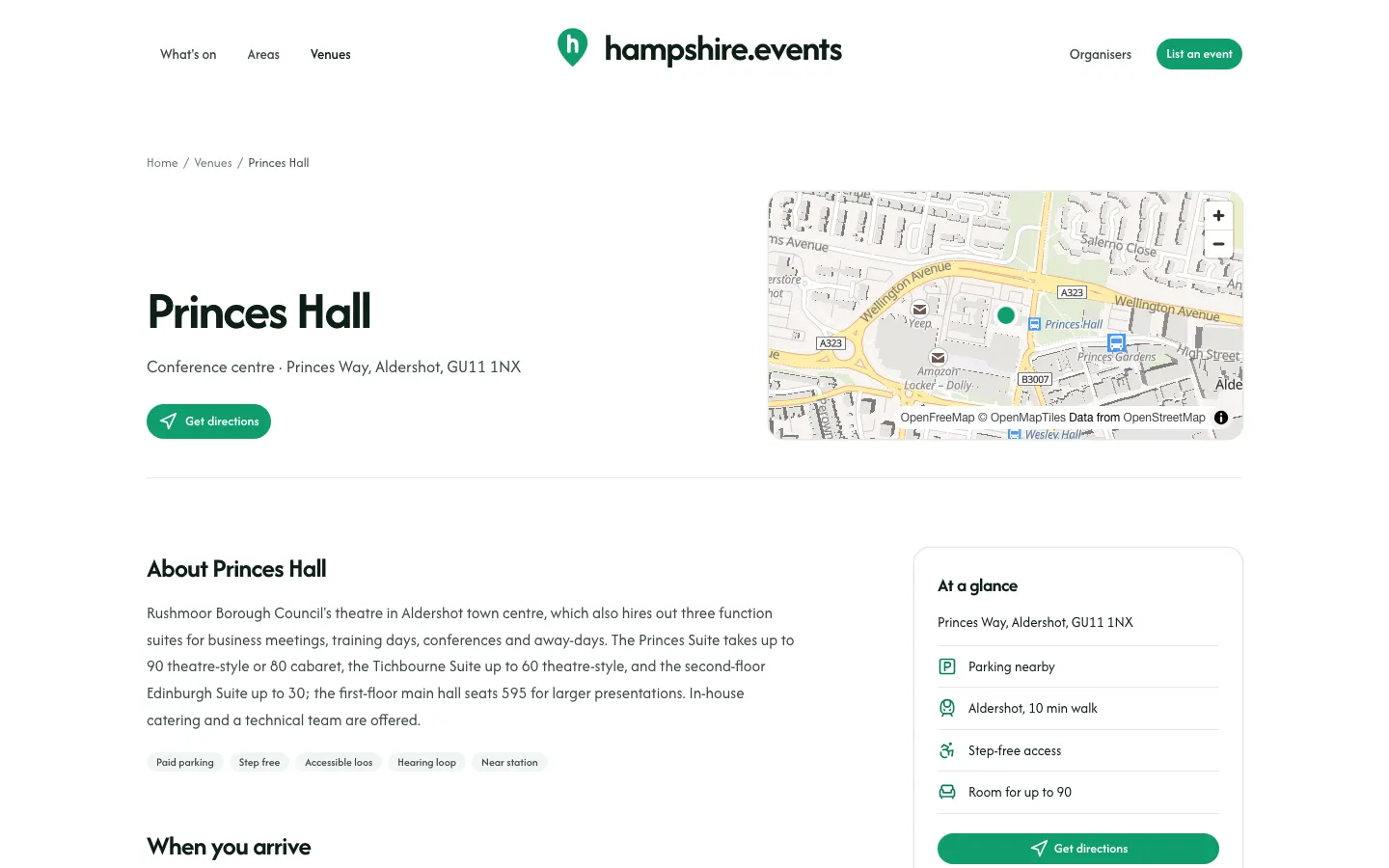
Screenshots of hampshire.events, 22 October 2026.
Get a feed
Want your listings on your own website?
Feeds are built in Studio by organisers, venues and region teams. Each region decides who can create them and whether they carry a fee, so ask your region, or talk to us about running one.