Add your events to your website
In Studio, Feeds makes a list, cards or a map of your events in your site’s colours and type; put it on your website in a frame or written into the page.
For people who go, organisers, venues and platform owners. You need events first.
Step by step
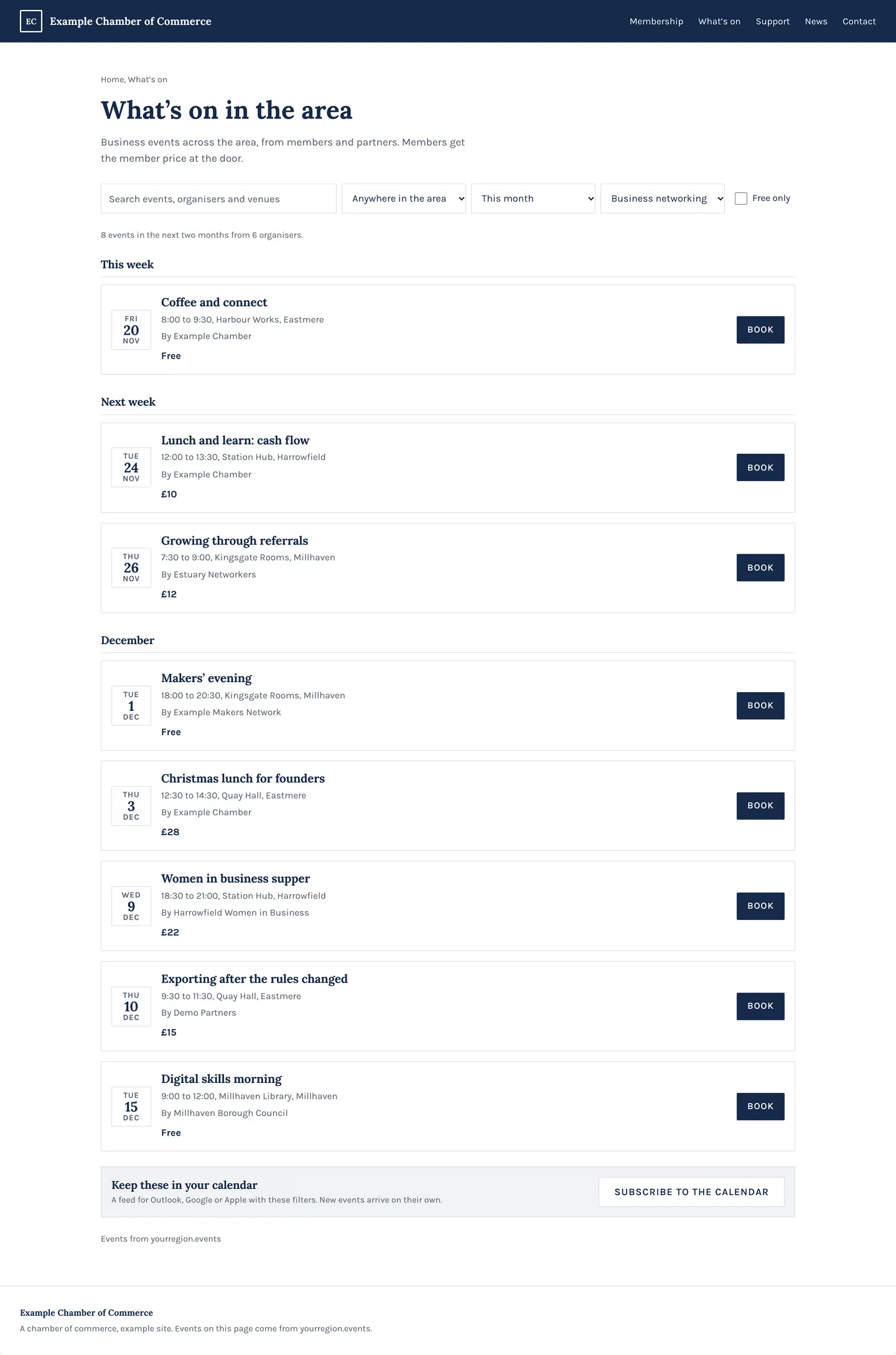
Step 1: A list on your site
Make a feed from Feeds in Studio: your events on your own page, in your site’s colours and type.
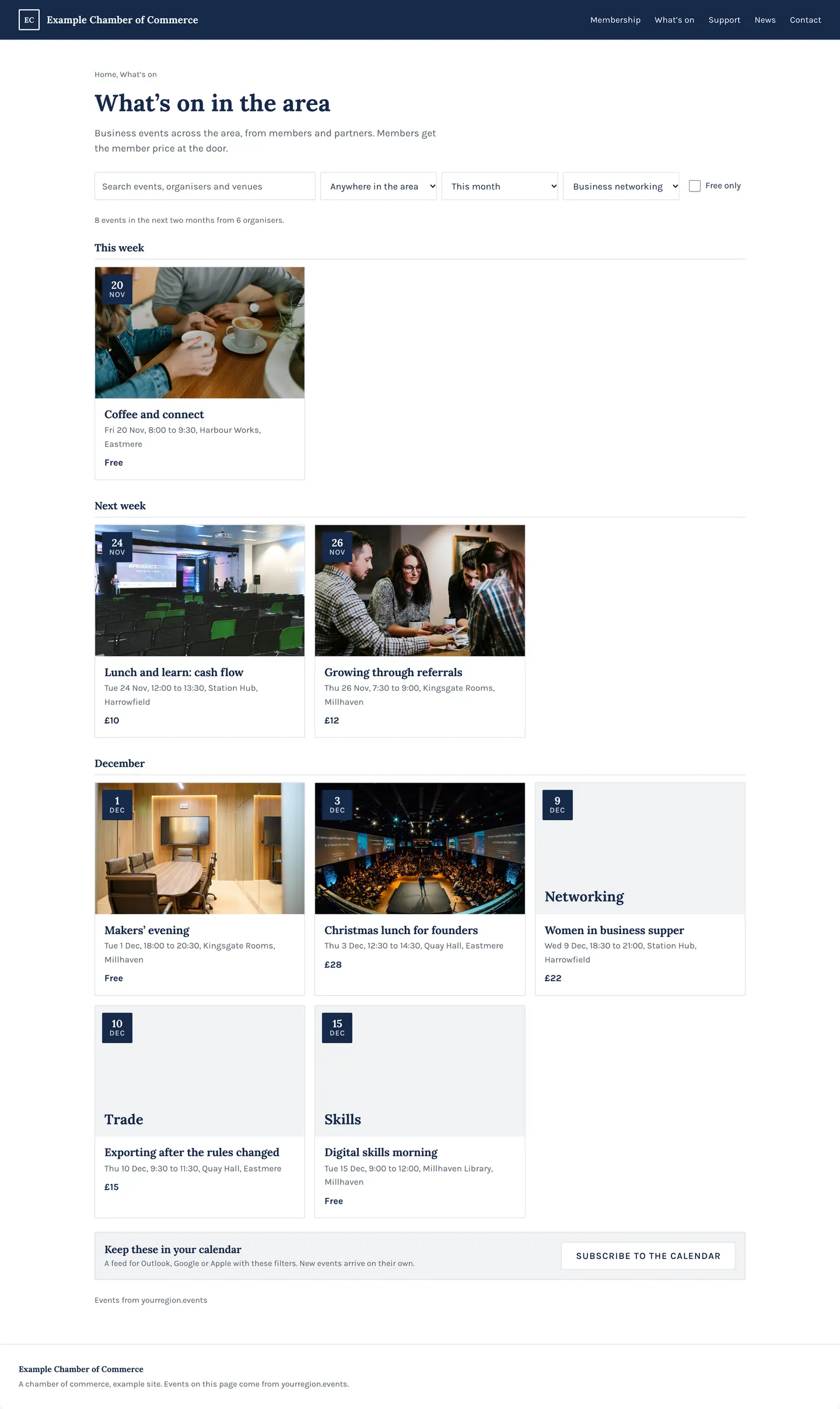
Step 2: Or cards, or a sidebar
Choose a list, a grid of cards or a compact list beside an article.
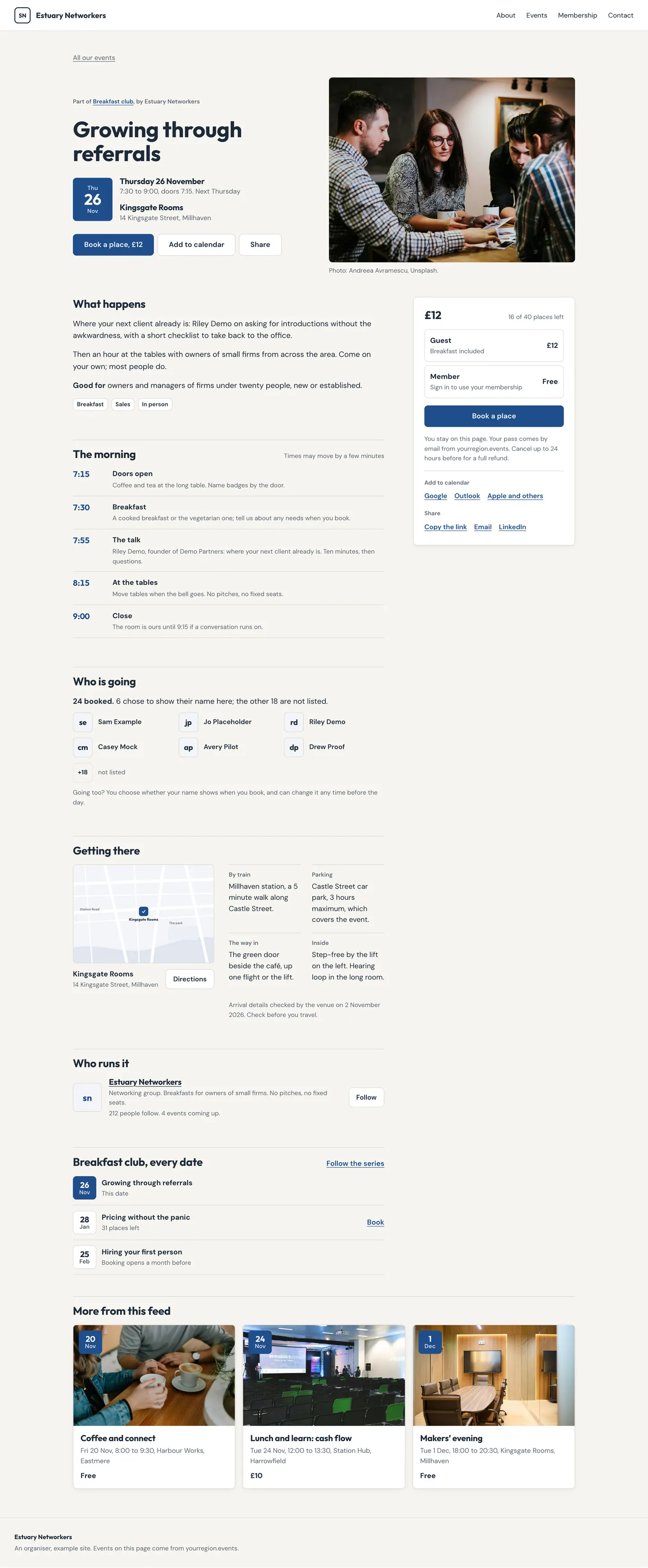
Step 3: Each event on your site
People open the whole event page without leaving your site.
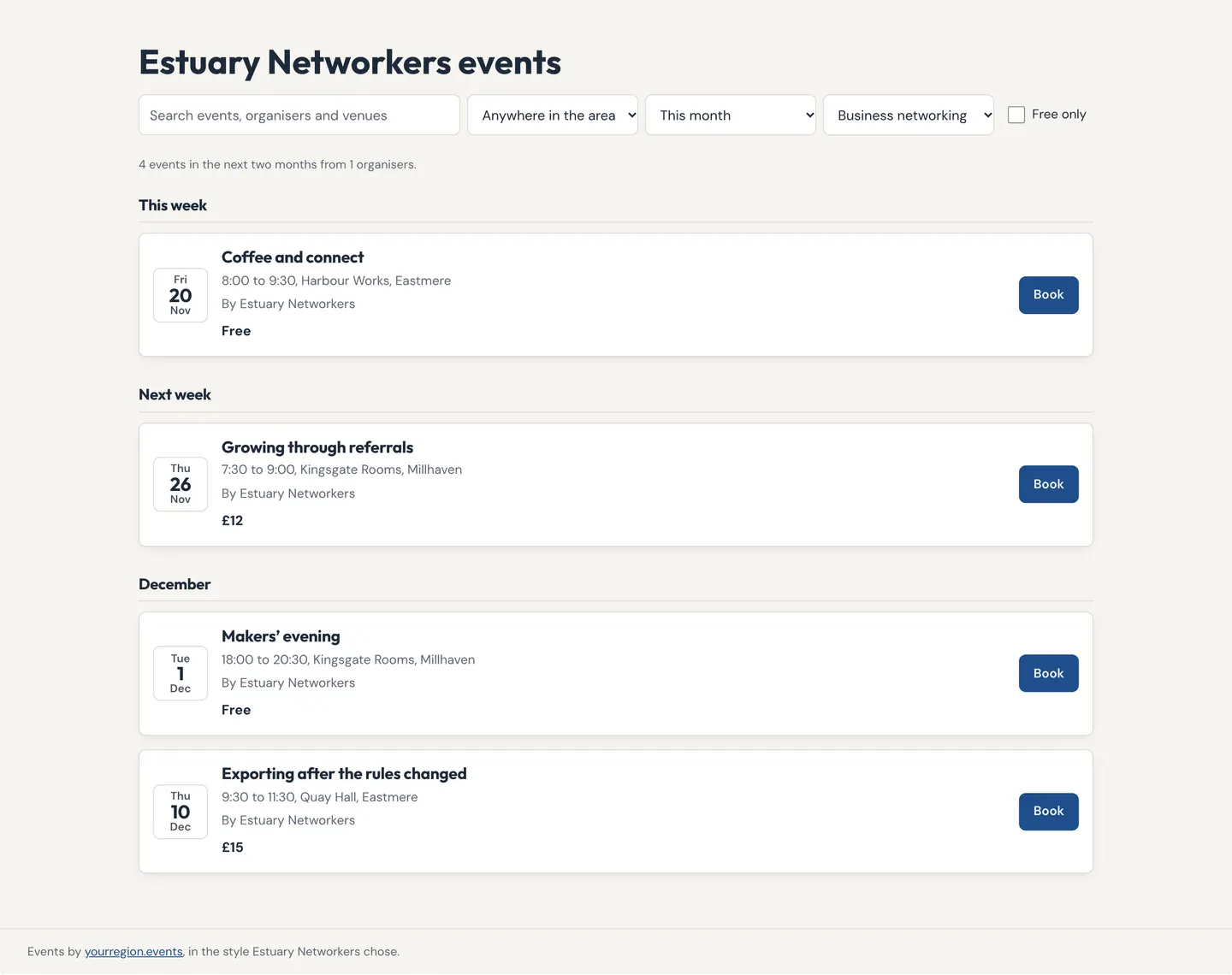
Step 4: Its own page too
Every feed also has its own page on the platform to link to.
Tips
A feed is locked to your web address, so nobody else can show it as theirs.
It keeps itself up to date: add an event in Studio and it appears.
Good to know
A new feeds page and builder are designed; this guide gains their steps in Studio when they ship.
People who go to events can build a feed too, where the platform allows it.
Related guides
- RelatedA search bar or a directoryA feed can be a search box for your site’s header, or a directory of venues or organisers.Read the guide
- RelatedA calendar link for a feedEvery feed has a link people use to follow it in Google, Apple or Outlook; moved or cancelled events change there too.Read the guide
- RelatedShare partner eventsAdd a partner’s event to your feed with a line of your own; it stays in step with theirs, never a copy.Read the guide
More about this on Your events on your website, one of our feature pages.
Was this helpful?
Reviewed 12 November 2026 and checked against the app that day. General information as at 12 November 2026, not legal, tax or financial advice. Screens show example data.