Build a report
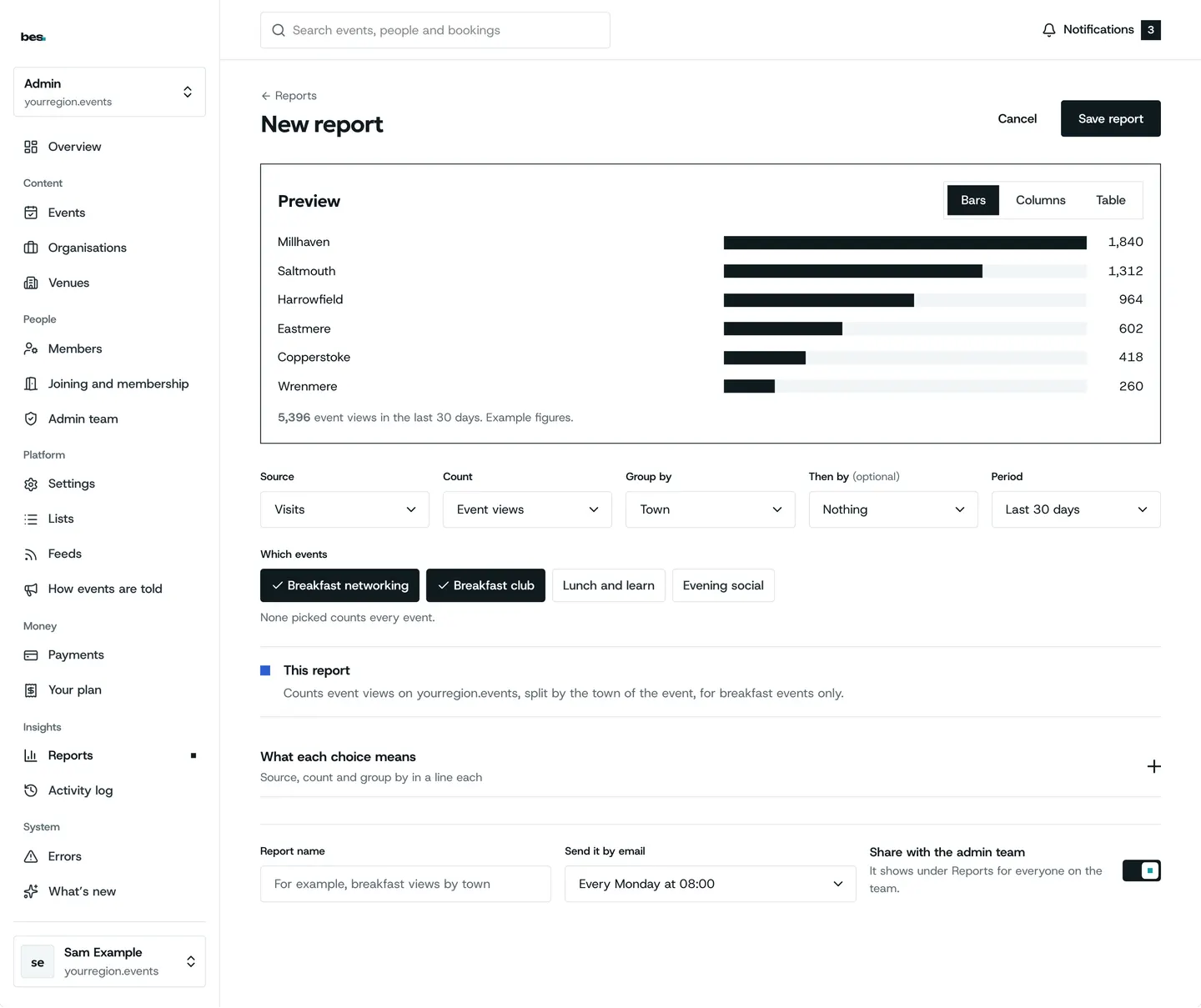
New report: pick what to count and how to group it, then save it.
For platform owners. You need admin role first.
Step by step
Step 1: Pick what to count
And how to group it.
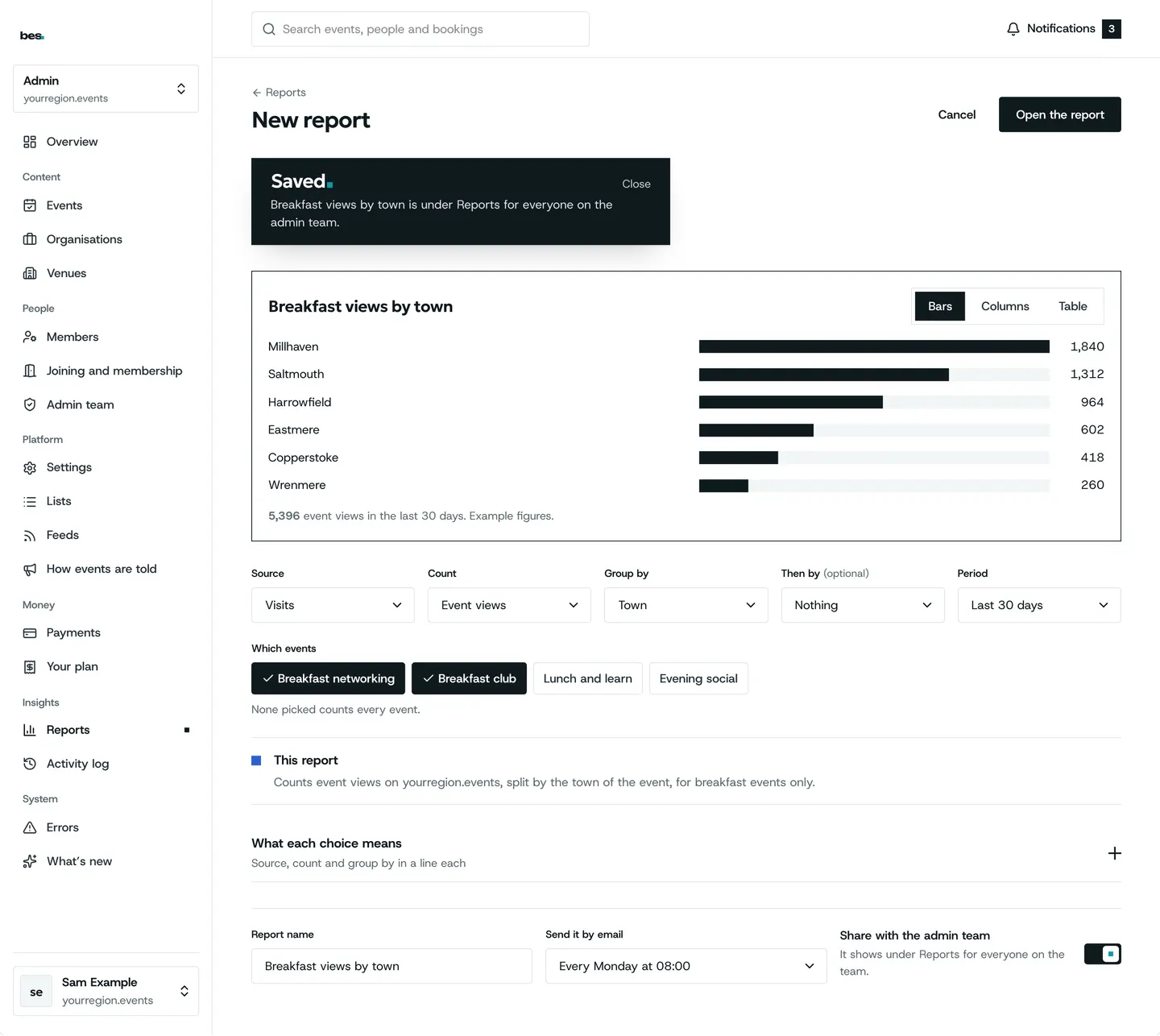
Step 2: Saved
In your reports.
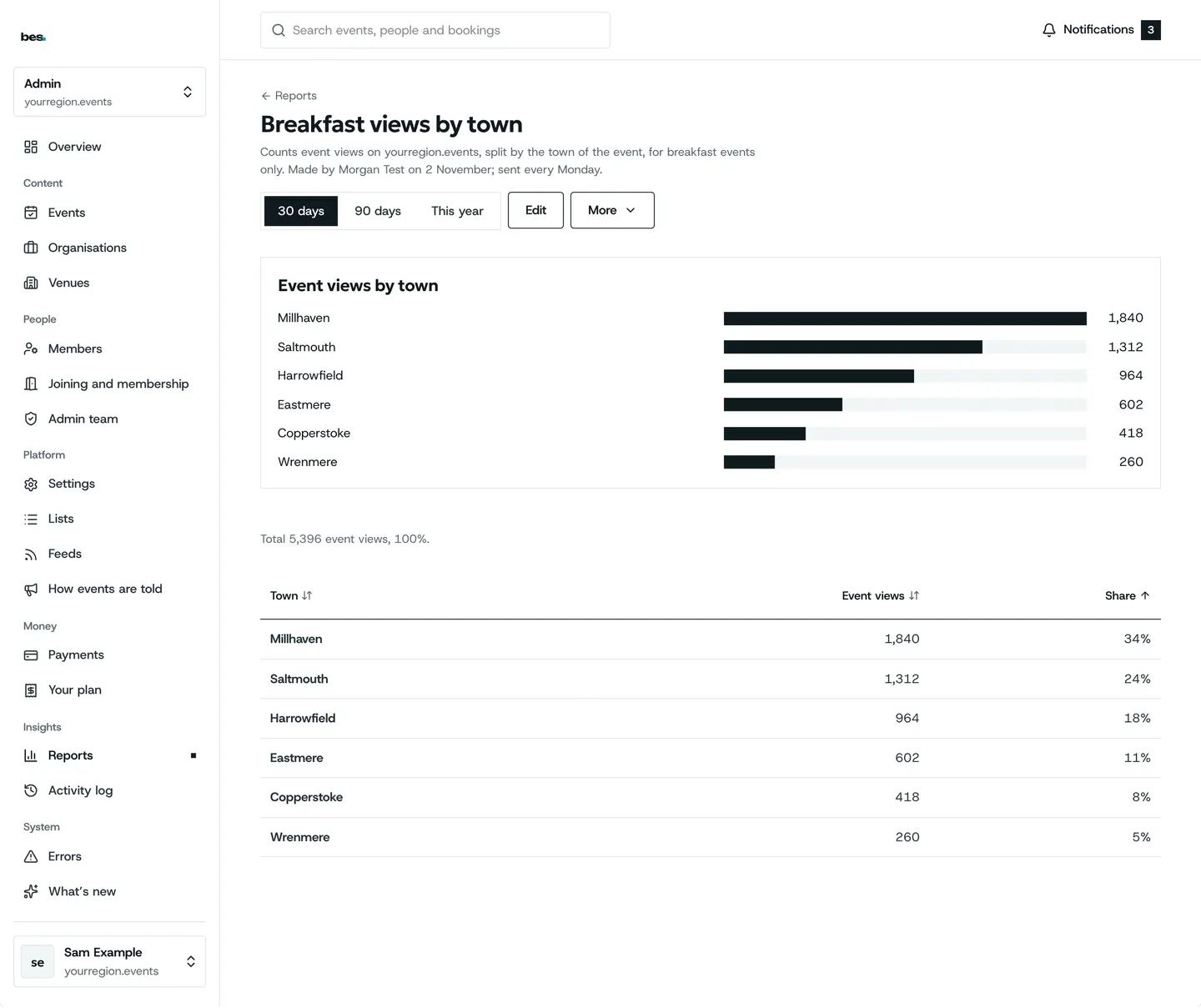
Step 3: Open it again
It updates itself.
Related guides
More about this on Your data, one of our feature pages.
Was this helpful?
Reviewed 12 November 2026 and checked against the app that day. General information as at 12 November 2026, not legal, tax or financial advice. Screens show example data.