Your platform
For owners and region admins: your look, address, listings and members.
23 guides in 5 parts.
/
Try , , . Press / to search from anywhere on the page.
Day to day
8 guides
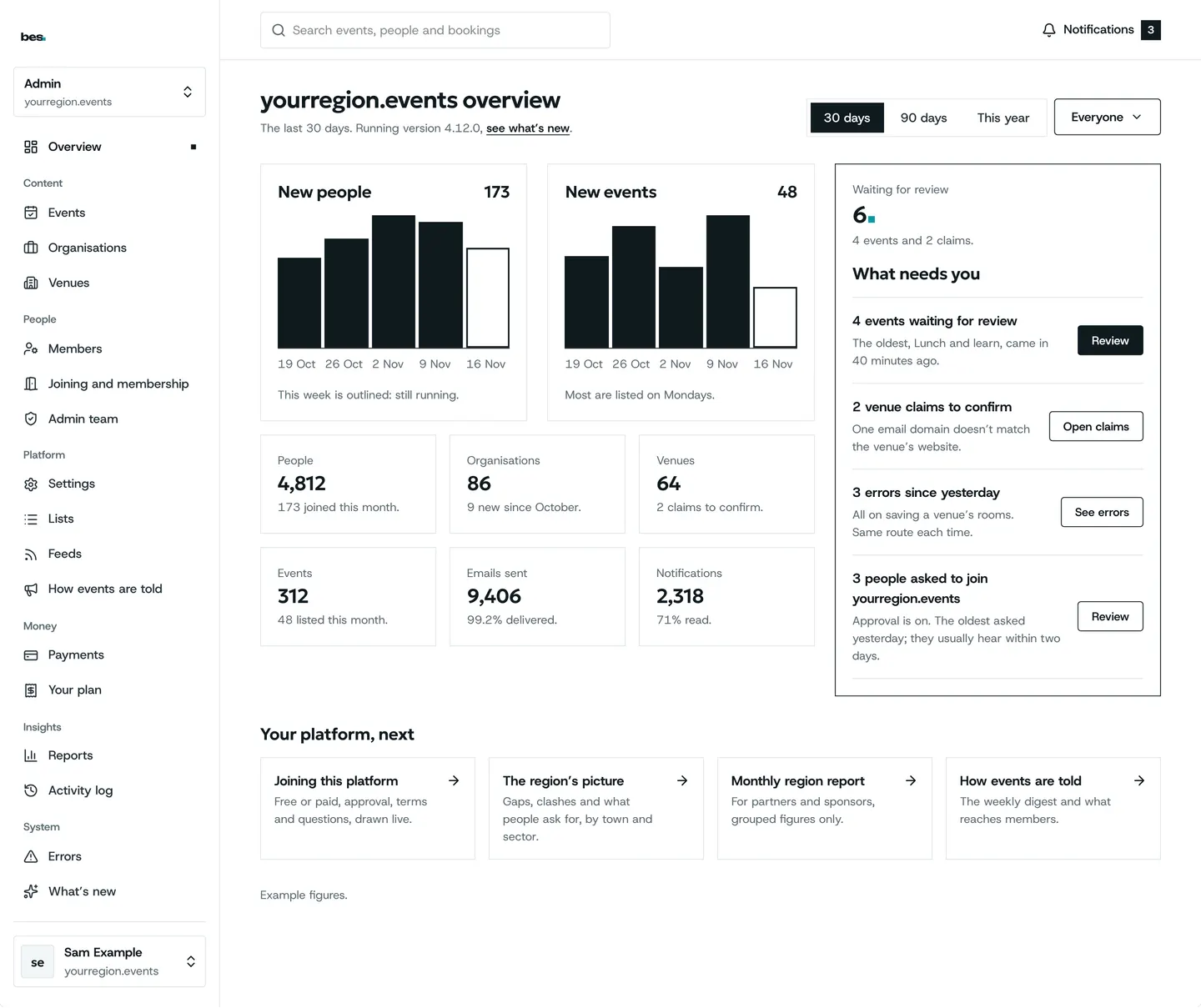
- Your admin homeAdmin opens a home that says what needs you today.For platform owners. 2 steps.Read the guide
- Check new listingsThe moderation queue lists new events; publish each or send it back with a note.For platform owners. 2 steps.Read the guide
- Every event on your platformEvents in admin lists every event on the platform by status; open one to edit it or see who is booked, and download the list as filtered.For platform owners. 3 steps.Read the guide
- Organisations and venuesOrganisations and Venues list everyone on the platform, with claims to confirm.For platform owners. 2 steps.Read the guide
- Members and your admin teamMembers lists everyone with an account; give someone an admin role from their row.For platform owners. 2 steps.Read the guide
- Fill your platform from researchResearch and bulk add brings in organisations, venues and events from a research pack as drafts.For platform owners. 2 steps.Read the guide
- Activity logThe activity log lists every change on your platform, who made it and when.For platform owners. 1 step.Read the guide
- Problems and what’s newErrors lists anything that went wrong and what was done; What’s new lists each release.For platform owners. 3 steps.Read the guide
Your look and address
5 guides
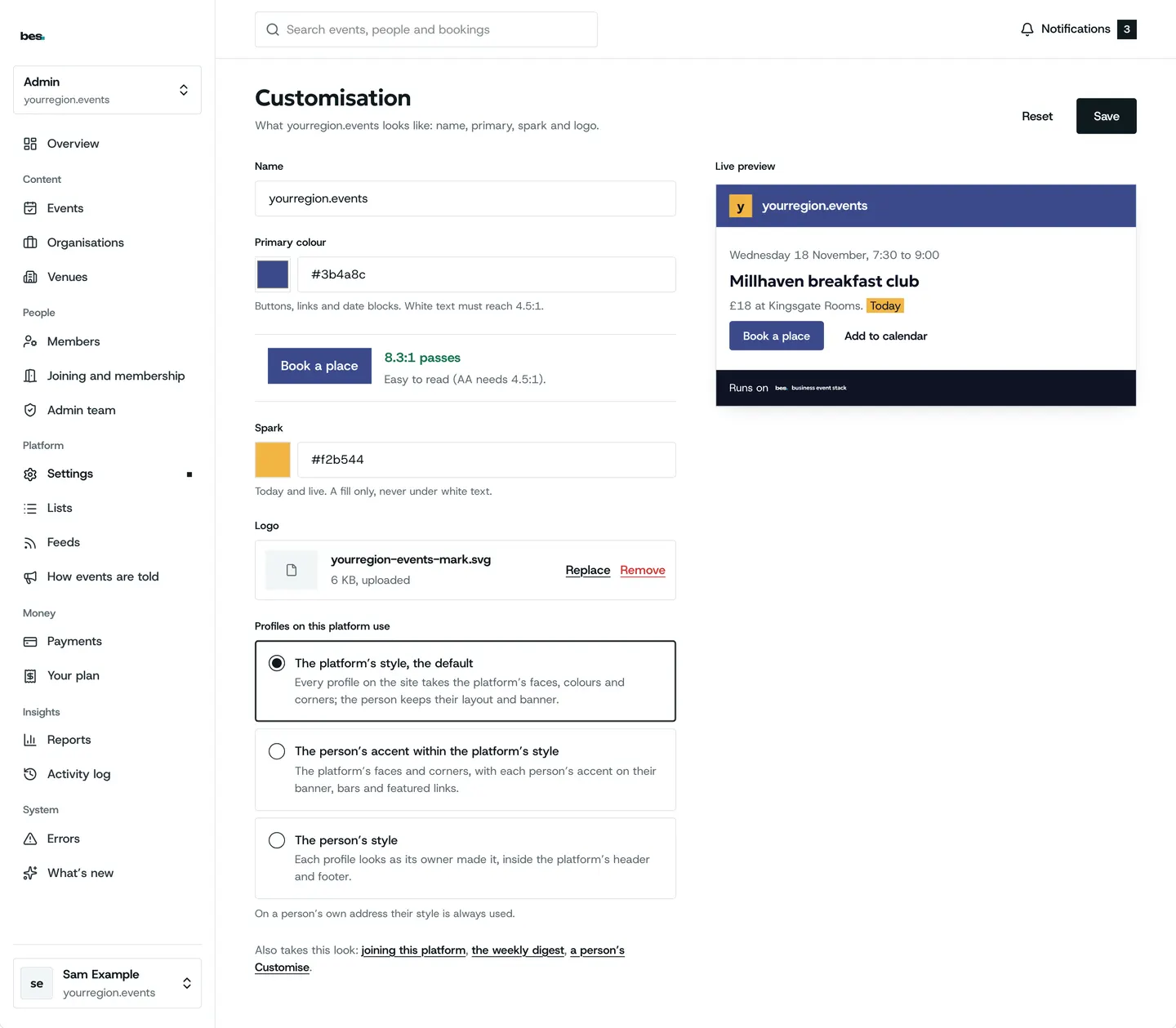
- Your lookBranding sets your colours, type, buttons and sign-in screen; it checks they are readable.For platform owners. 3 steps.Read the guide
- Your web addressTell us the address you want; we set it up and say when it is live.For platform owners. Steps on the way.Read the guide
- When you have a website of your ownTurn on Your own website and your platform’s pages point people to it.For platform owners. 3 steps.Read the guide
- Search and sharingEvery page has a title, a description and a share picture made from your look.For platform owners. Steps on the way.Read the guide
- Your platform’s feedsPlatform feeds show your events on partners’ sites; say who may make them.For platform owners. Steps on the way.Read the guide
Rules and settings
4 guides
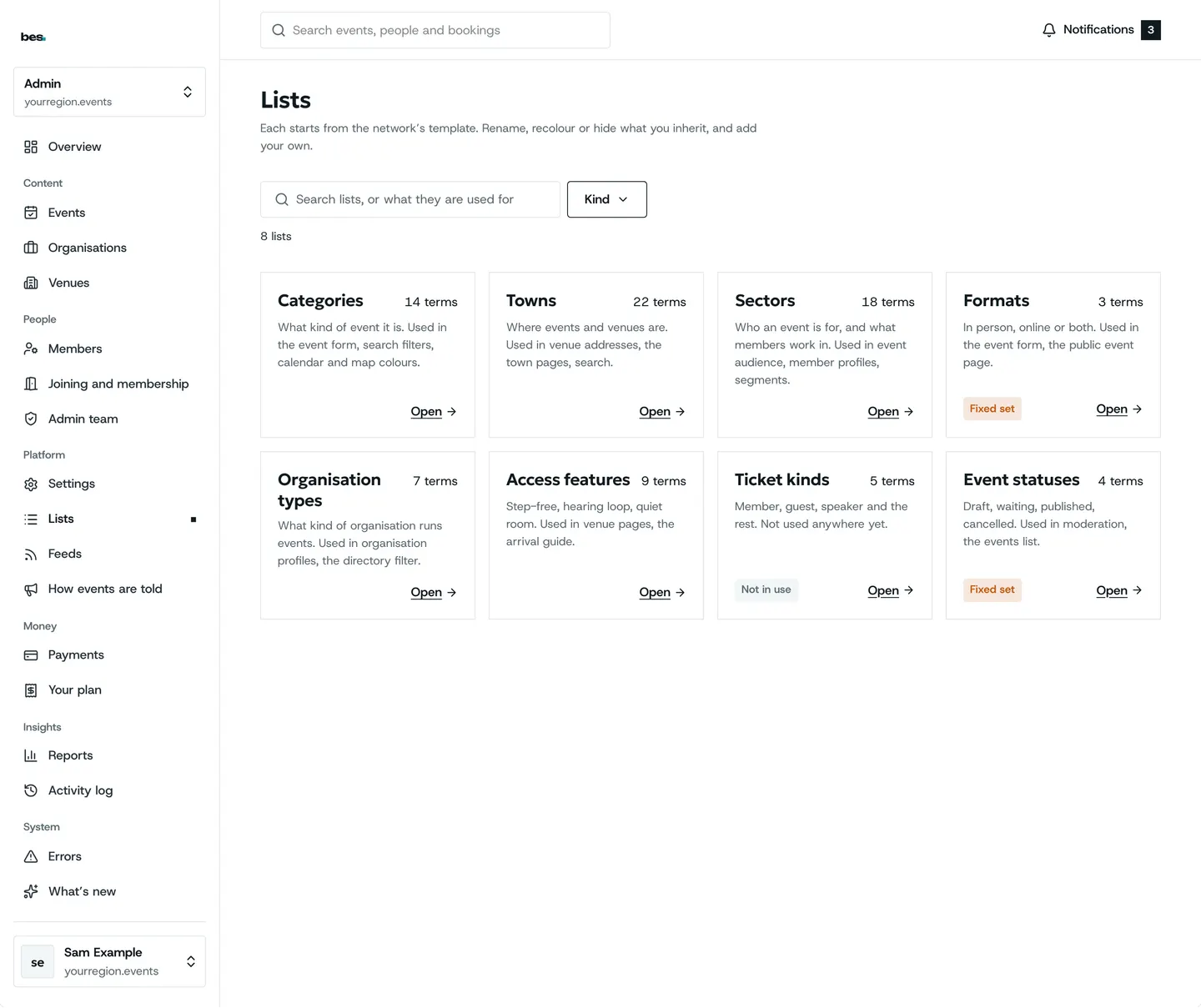
- Categories and listsLists holds your categories, towns and sectors; add or rename terms.For platform owners. 3 steps.Read the guide
- What your platform offersAsk us to switch parts on or off; guides for parts that are off are hidden on your platform.For platform owners. Steps on the way.Read the guide
- Your policies and termsYour platform has its own privacy policy and terms, shown under Policies.For platform owners. 1 step. Partly in the app.Read the guide
- Ask before counting visitsYour platform asks people before counting their visits, and remembers the answer.For platform owners. 2 steps.Read the guide
Money and plans
3 guides
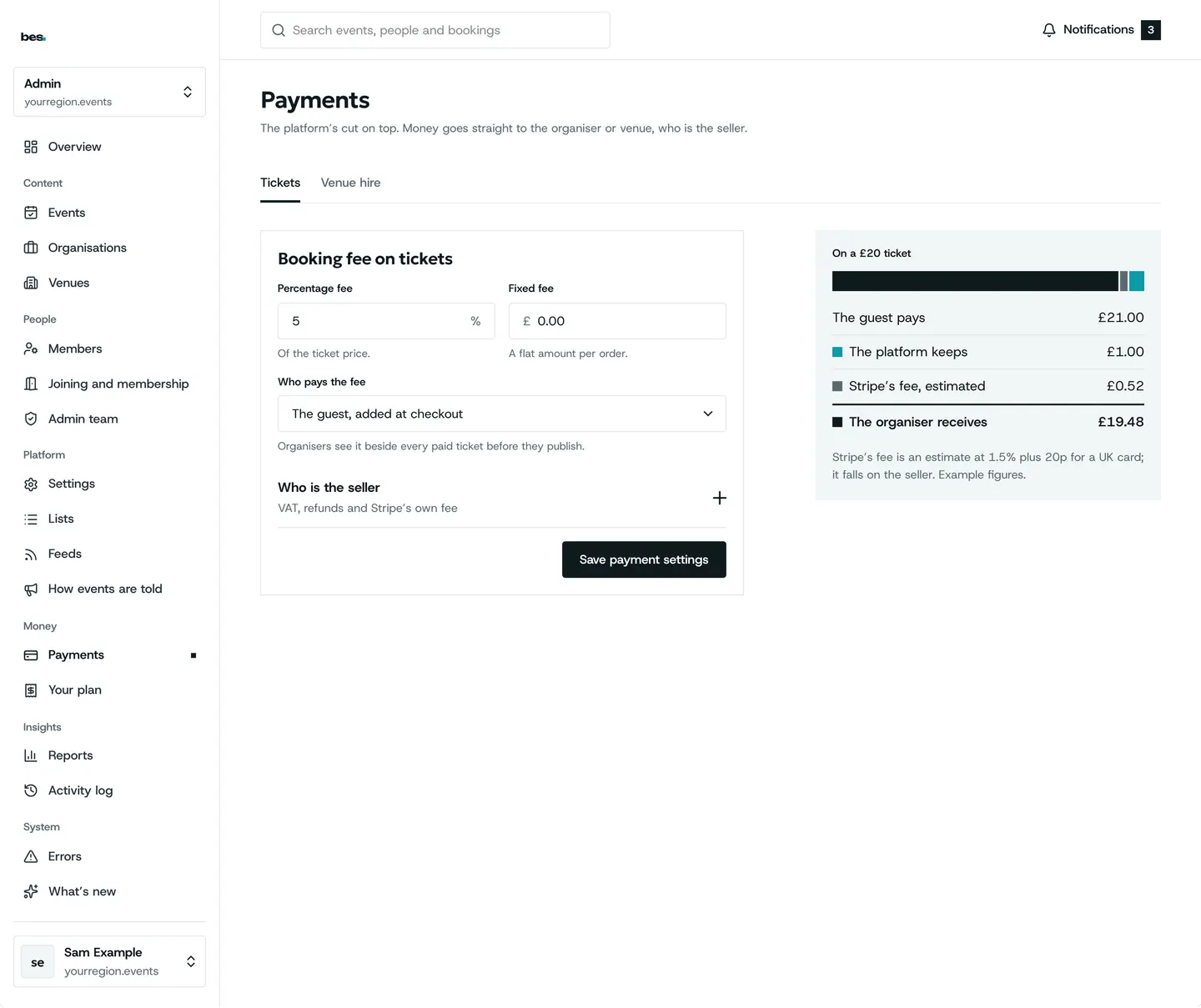
- Platform feesPayments and fees sets your fee on tickets and room hire, or none.For platform owners. 3 steps.Read the guide
- Membership plansMemberships sets the plans people and organisations can join, and what each costs.For platform owners. 3 steps.Read the guide
- Your plan and invoicesBilling shows your plan and every invoice.For platform owners. 2 steps.Read the guide
Reports
3 guides
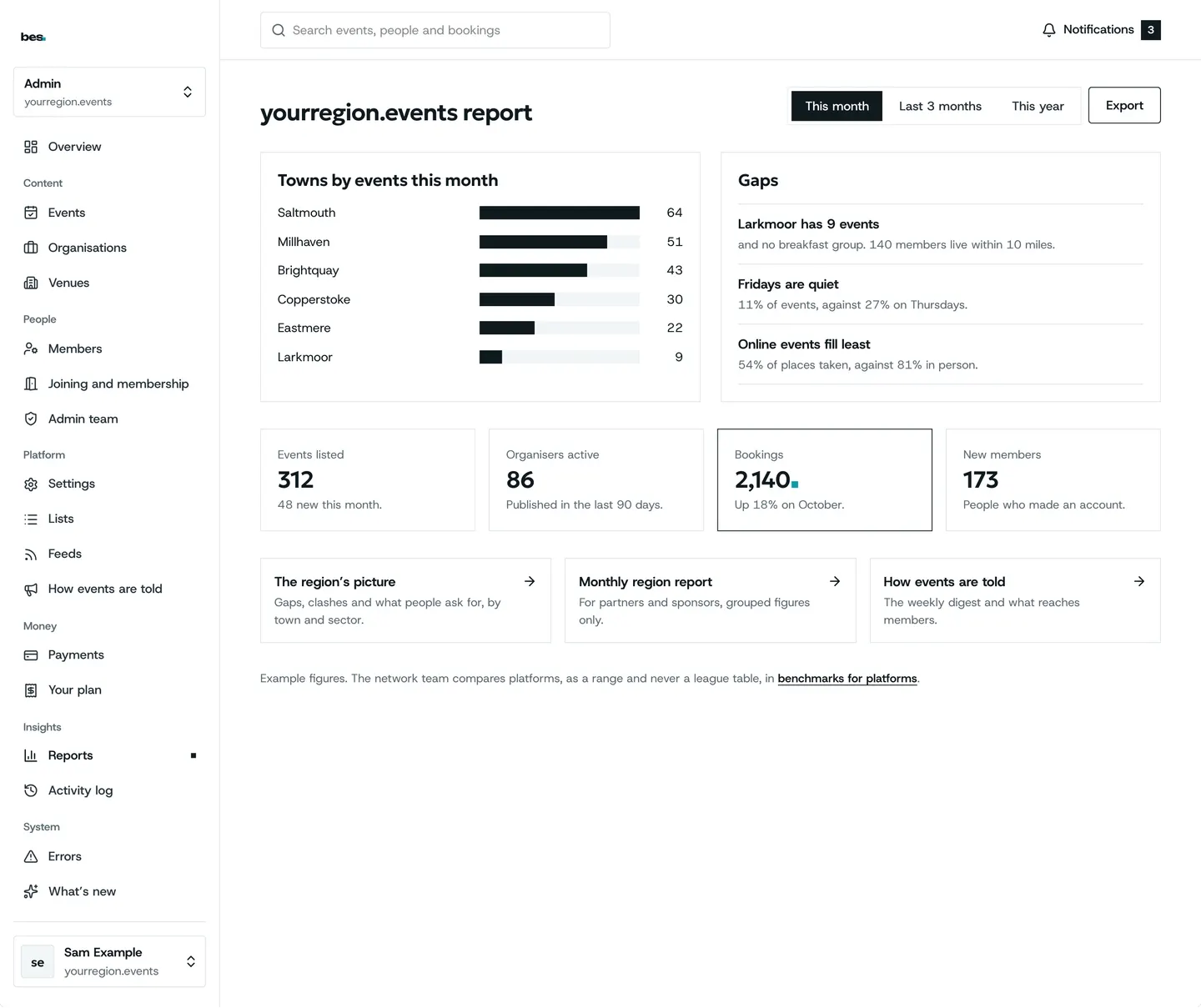
- Your platform reportThe region report shows events, bookings and attendance across your platform.For platform owners. 2 steps. Partly in the app.Read the guide
- Activity, email and sign-up reportsReports has four ready-made reports: what people do, which emails went and were read, notifications, and who joined.For platform owners. 3 steps.Read the guide
- Build a reportNew report: pick what to count and how to group it, then save it.For platform owners. 3 steps.Read the guide
Other topics
- Getting started9 guidesOpen
- Finding and booking15 guidesOpen
- Your passes and the day5 guidesOpen
- Calendars3 guidesOpen
- Running events19 guidesOpen
- Bookings and tickets9 guidesOpen
- Check-in5 guidesOpen
- Money4 guidesOpen
- Your website4 guidesOpen
- People and reports2 guidesOpen
- Venues and rooms11 guidesOpen
- Your data and privacy5 guidesOpen
Still stuck
Ask a person
- Booked on an event
The team that runs your platform can help with bookings and tickets; their address is in every email they send you.
- Running a platform
[email protected]. We usually reply within two working days.
- Something is broken
Report a problem: say what you did and what you saw.
- About your data
Security and your data says what is held and who sees it.