Every event on your platform
Events in admin lists every event on the platform by status; open one to edit it or see who is booked, and download the list as filtered.
For platform owners. You need admin role first.
Step by step
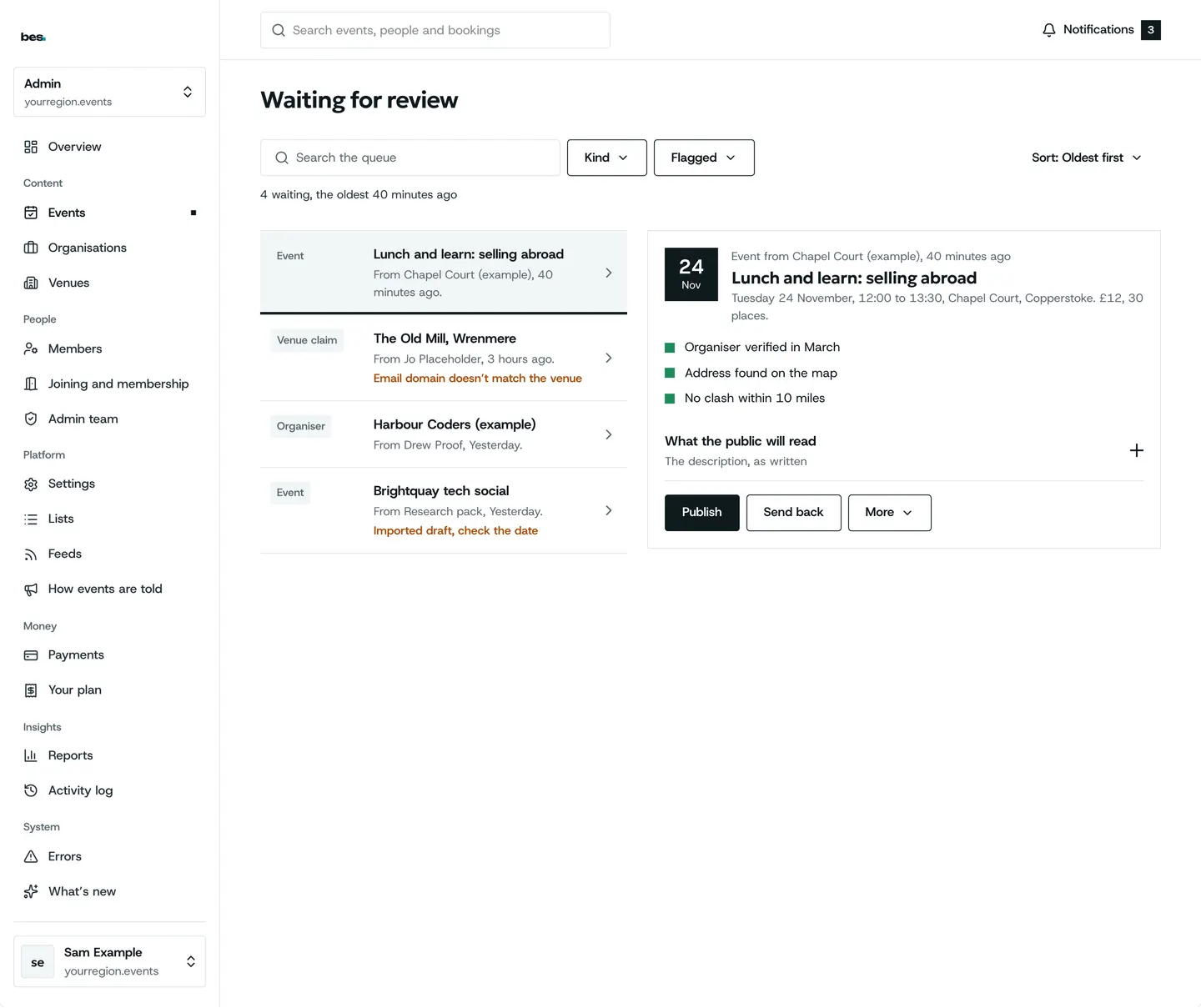
Step 1: Every event
Filter by status; waiting for review comes first.
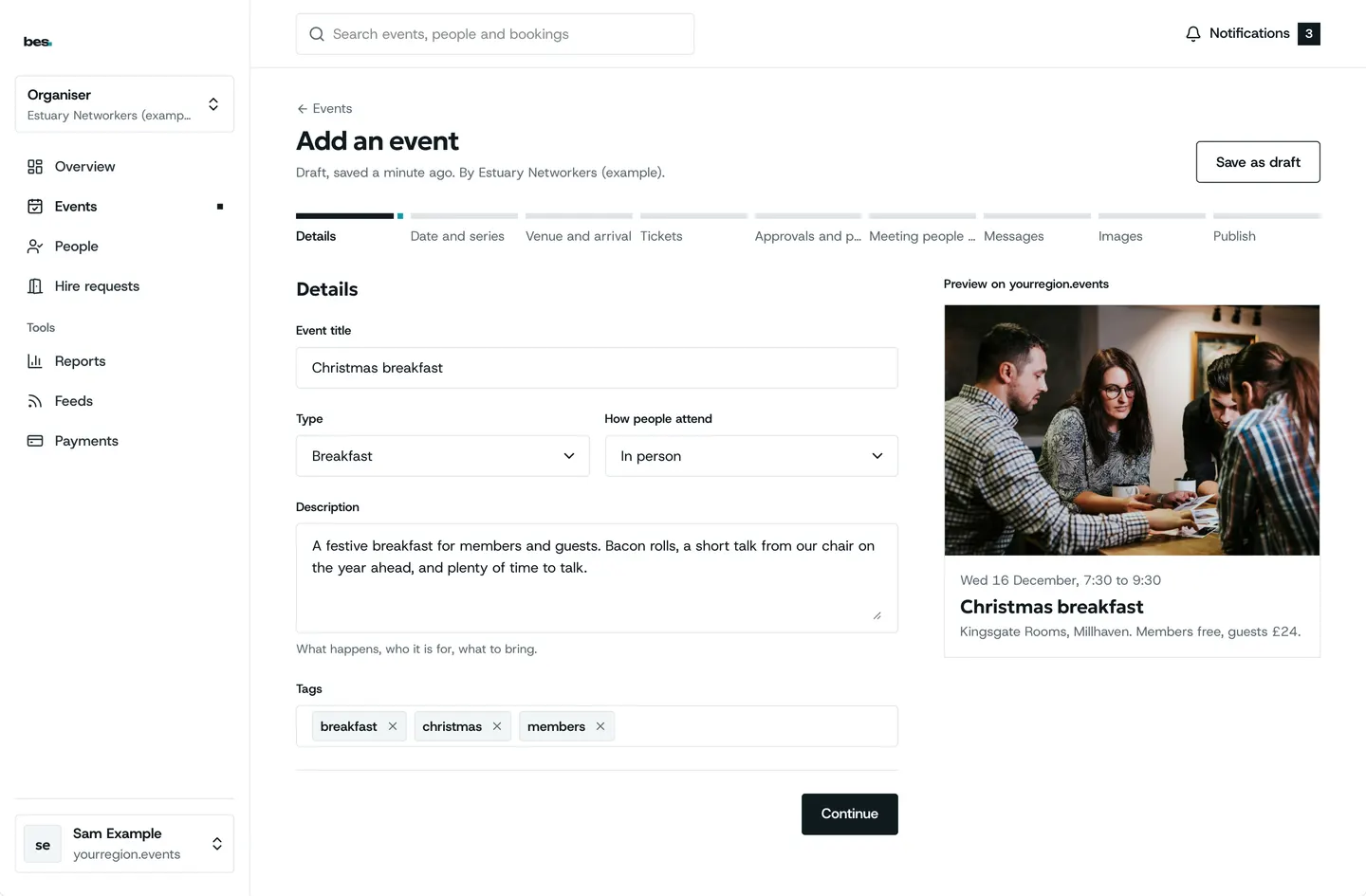
Step 2: Edit any event
The same editor organisers use.
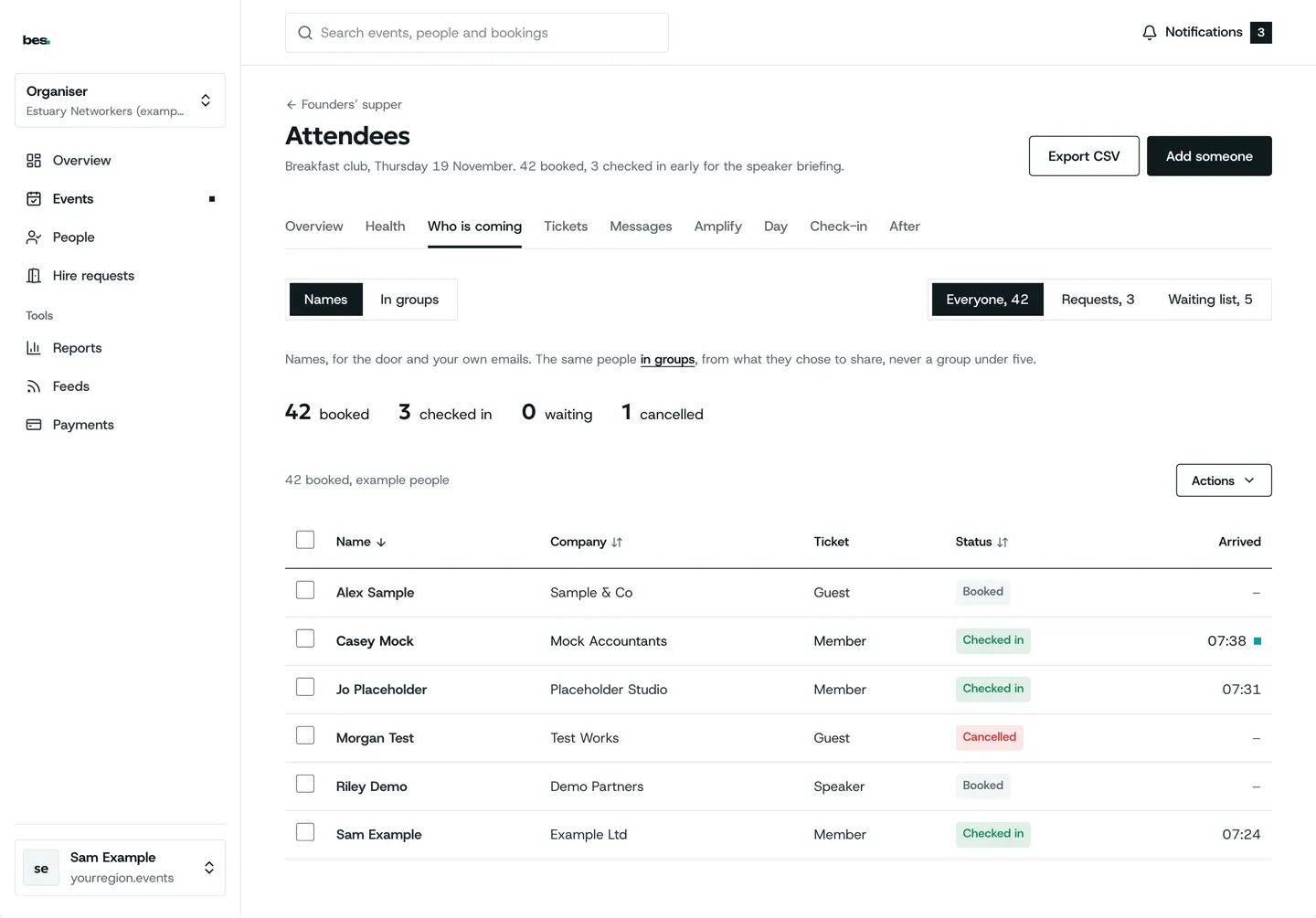
Step 3: Who is booked
Remove a place or refund a ticket for any event.
Tips
Download gives a spreadsheet of the events as filtered on screen.
Related guides
- RelatedCheck new listingsThe moderation queue lists new events; publish each or send it back with a note.Read the guide
- RelatedOrganisations and venuesOrganisations and Venues list everyone on the platform, with claims to confirm.Read the guide
More about this on Running your platform, one of our feature pages.
Was this helpful?
Reviewed 12 November 2026 and checked against the app that day. General information as at 12 November 2026, not legal, tax or financial advice. Screens show example data.