Find your pass
Your QR pass is in the booking email and on your home; show it at the door.
For people who go. You need a booking first.
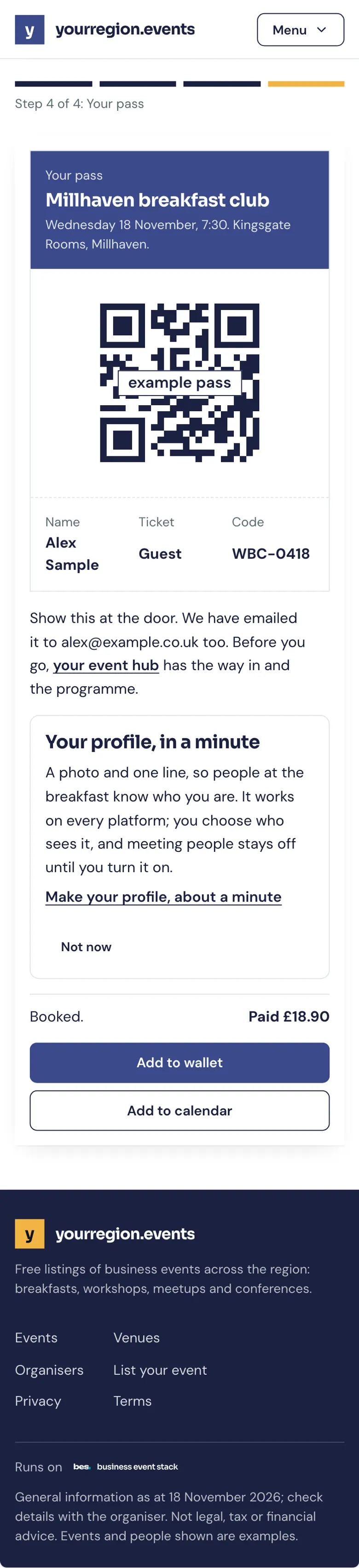
Step by step
Step 1: In your email
The booking email has your pass. Keep it.
Step 2: On your home
Signed in, your home shows your next event with its pass.

Tips
Turn the brightness up at the door: it scans faster.
Screenshots of the pass work too.
What’s next
- NextWhat happens at the doorThe organiser scans your pass on a phone; no pass, they find you by name.Read the guide
- RelatedGetting thereEvery event page has the venue’s arrival guide: parking, the nearest station and which door.Read the guide
More about this on Check-in at the door, one of our feature pages.
Was this helpful?
Reviewed 12 November 2026 and checked against the app that day. General information as at 12 November 2026, not legal, tax or financial advice. Screens show example data.