Follow up with people
Set a follow-up on anyone in Your people; we remind you on the day.
For people who go. You need a connection first.
Step by step
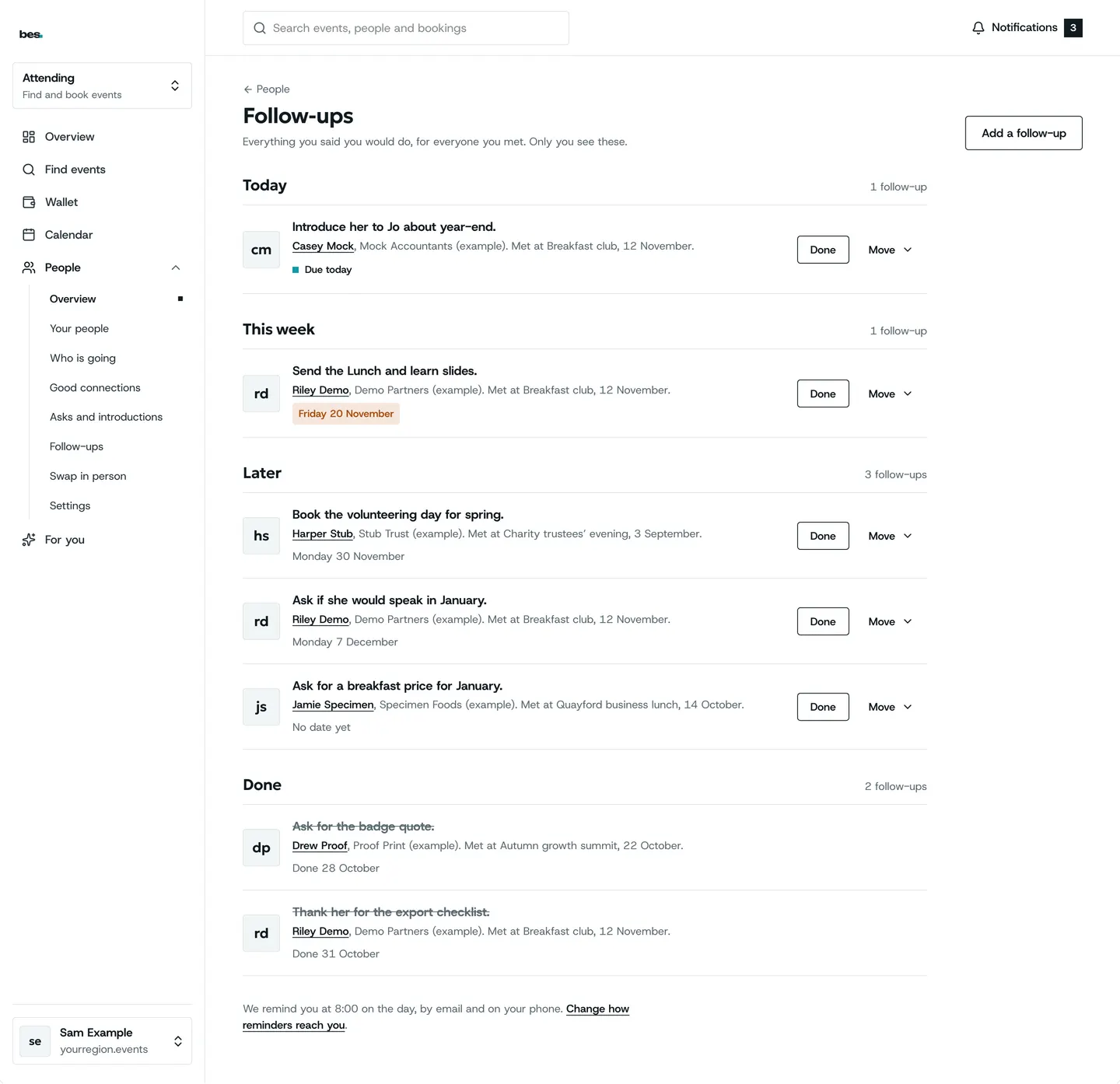
Step 1: All your follow-ups
Today, this week, later and done.
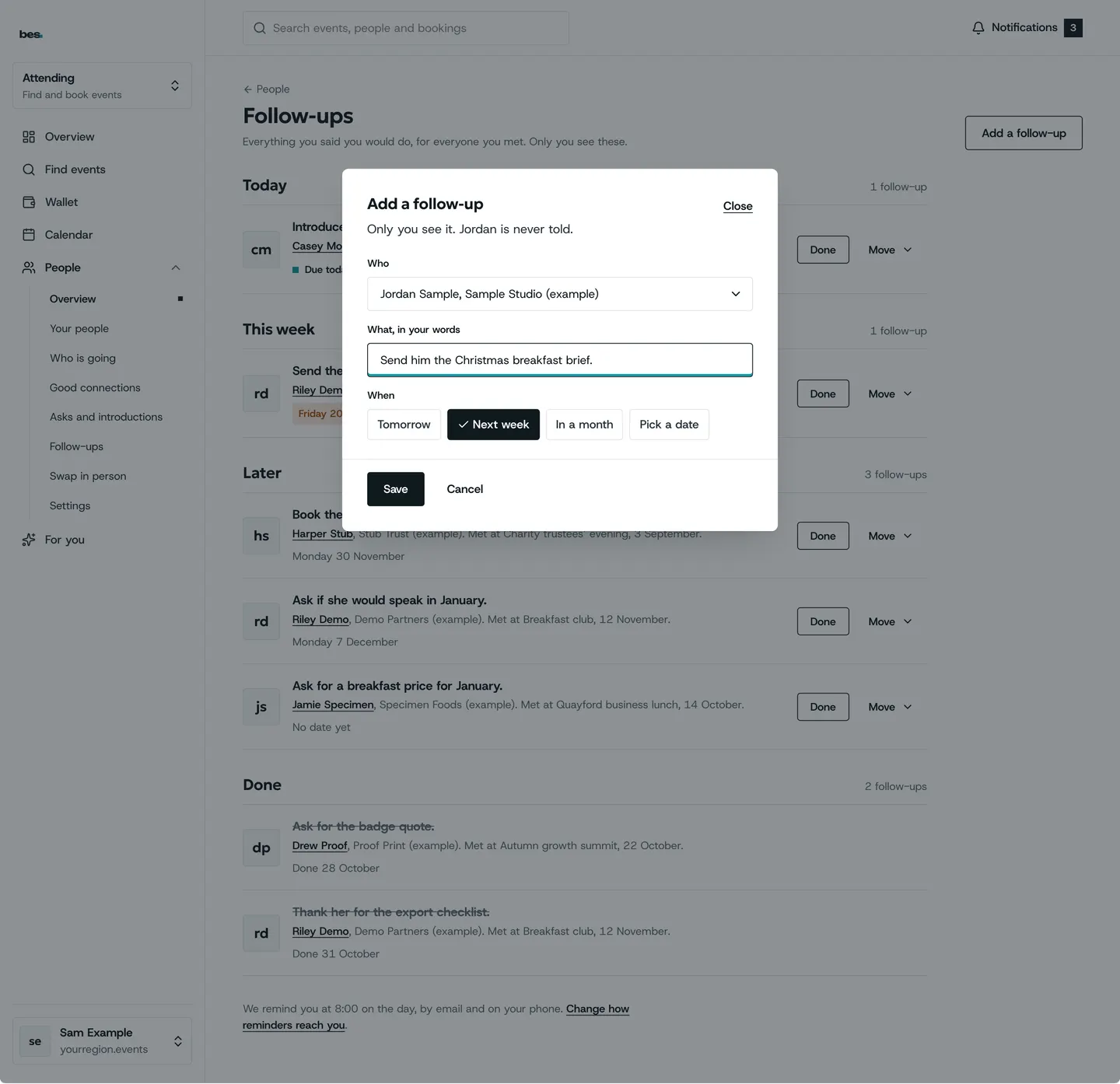
Step 2: Add one
Who, what in your words, and when.
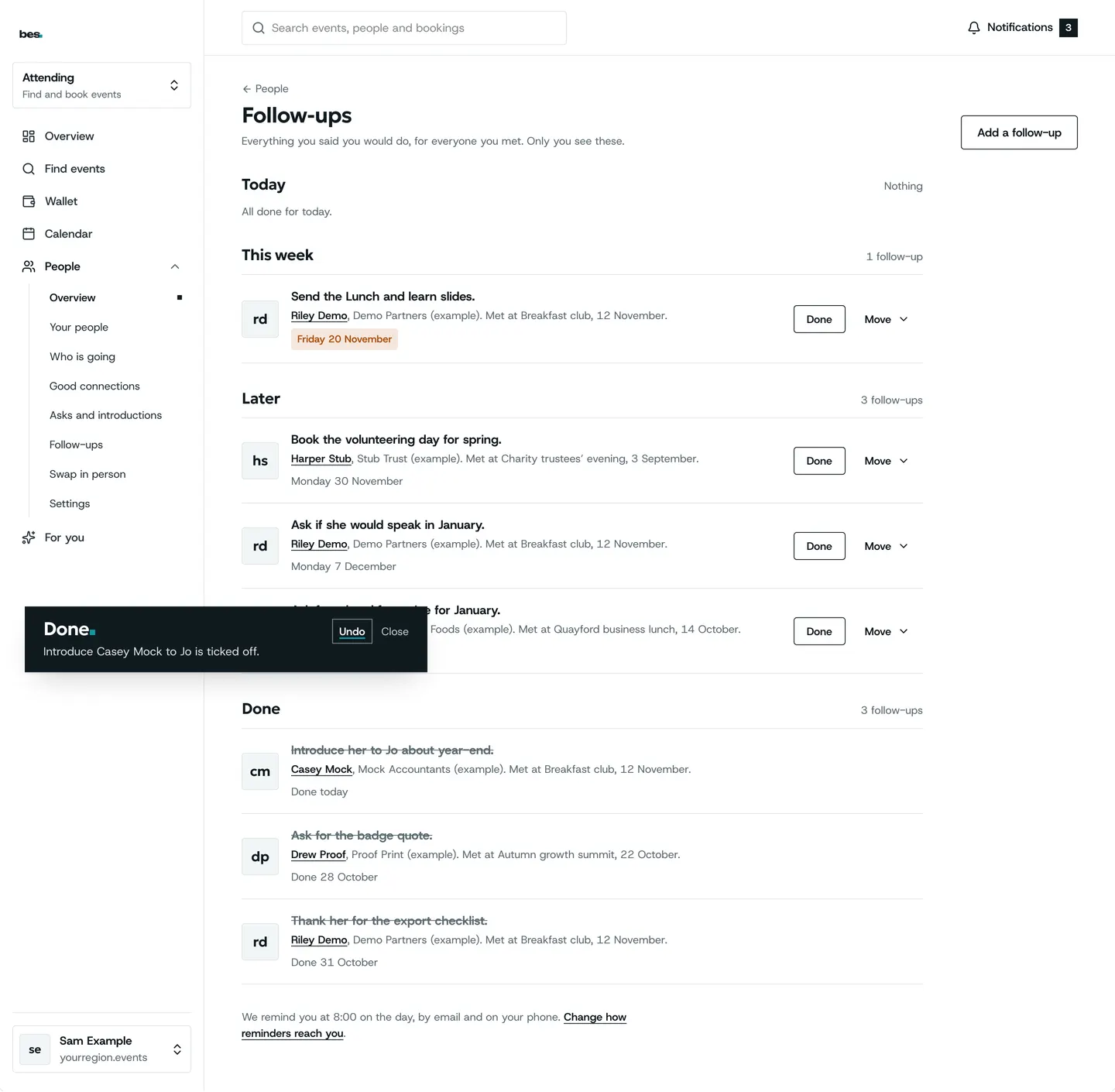
Step 3: Done
Tick it off; Undo if you were too quick.
Good to know
Only you see your follow-ups, notes and tags.
Related guides
- RelatedSwap in personShow your code or scan theirs; typing the six characters works too.Read the guide
- RelatedPeople, at a glanceOpen People: each card shows a little and opens its own page, which also sits under People in the menu.Read the guide
More about this on Meeting people, one of our feature pages.
Was this helpful?
Reviewed 12 November 2026 and checked against the app that day. General information as at 12 November 2026, not legal, tax or financial advice. Screens show example data.