Swap in person
Show your code or scan theirs; typing the six characters works too.
For people who go. You need an account first.
Step by step
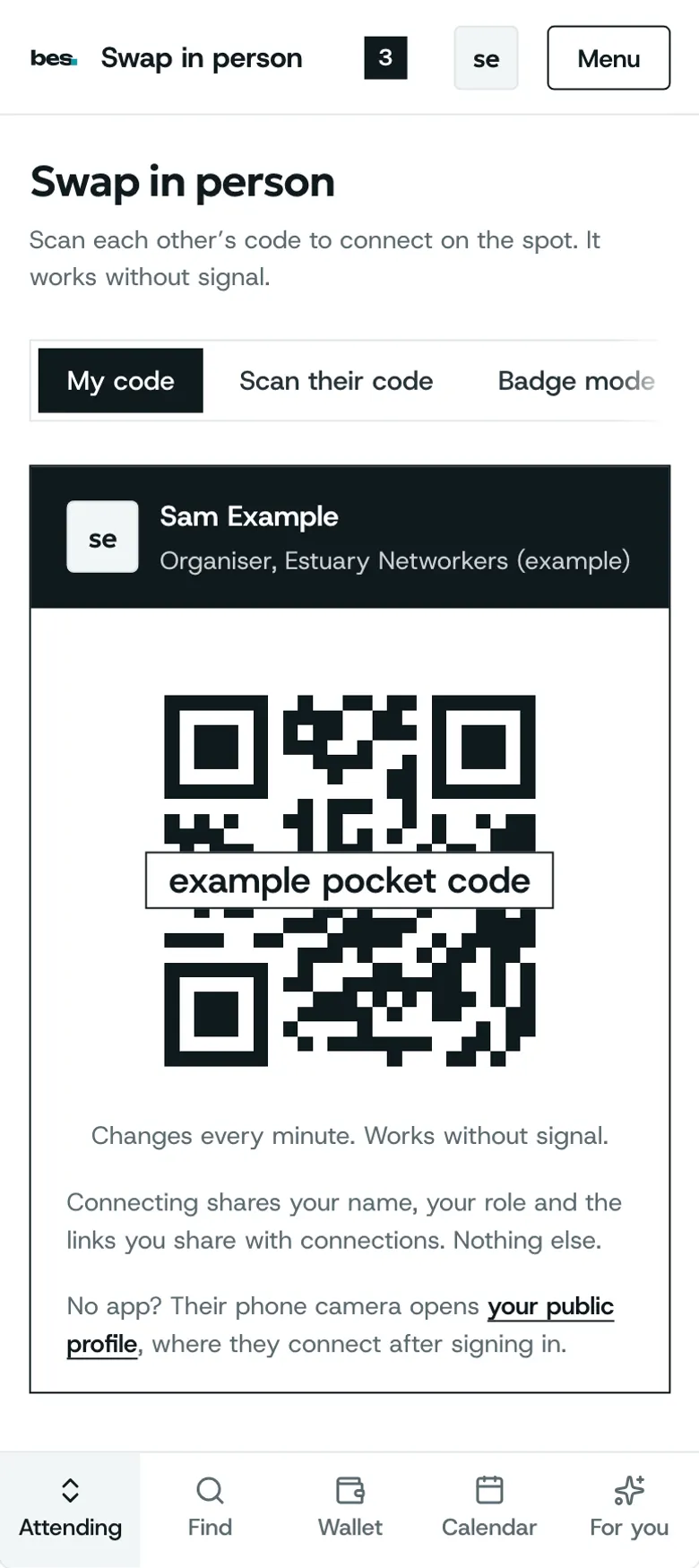
Step 1: Your code
It fills the screen and changes every minute, so a photo of it is no use later.
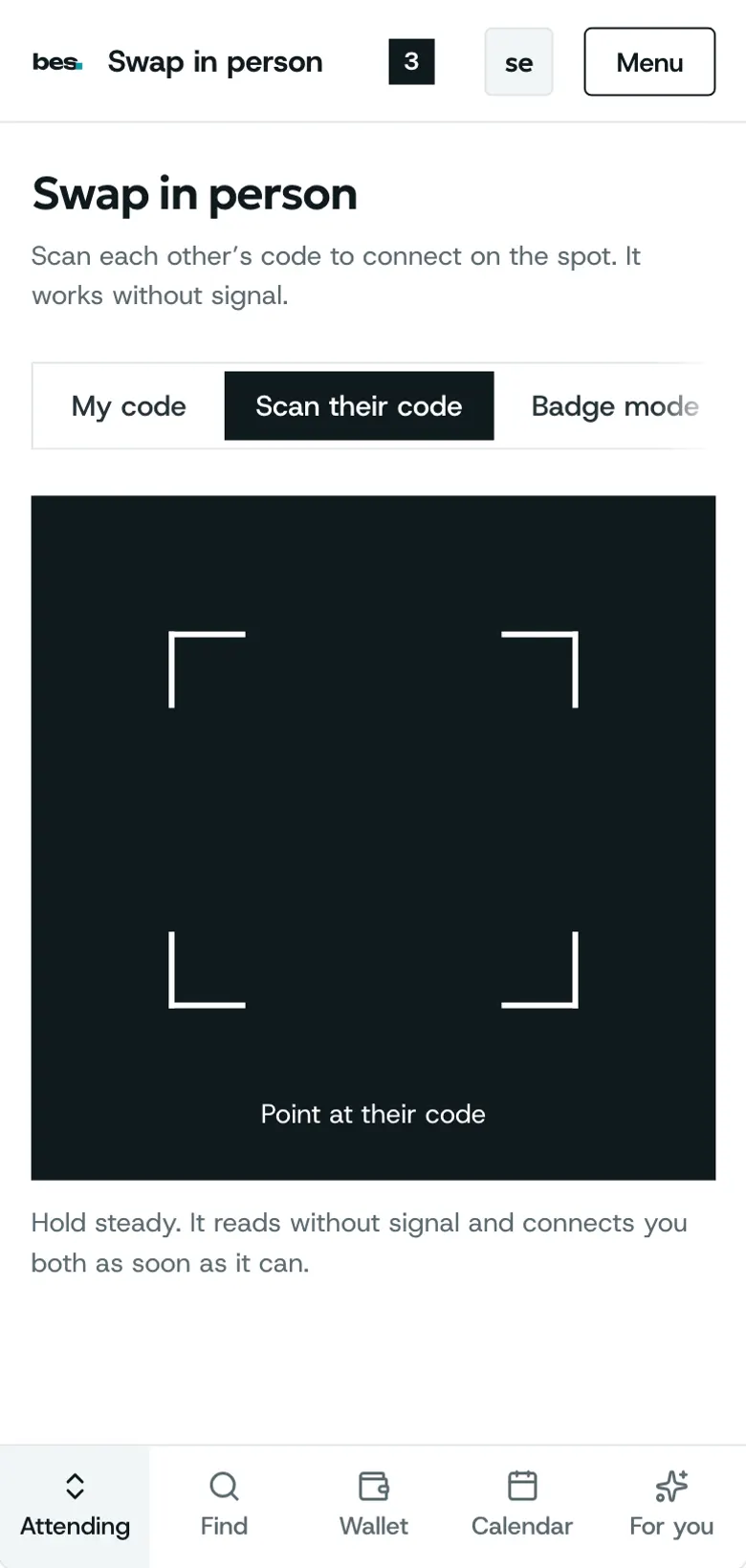
Step 2: Scan theirs
Point the camera at their code, or type its six characters.
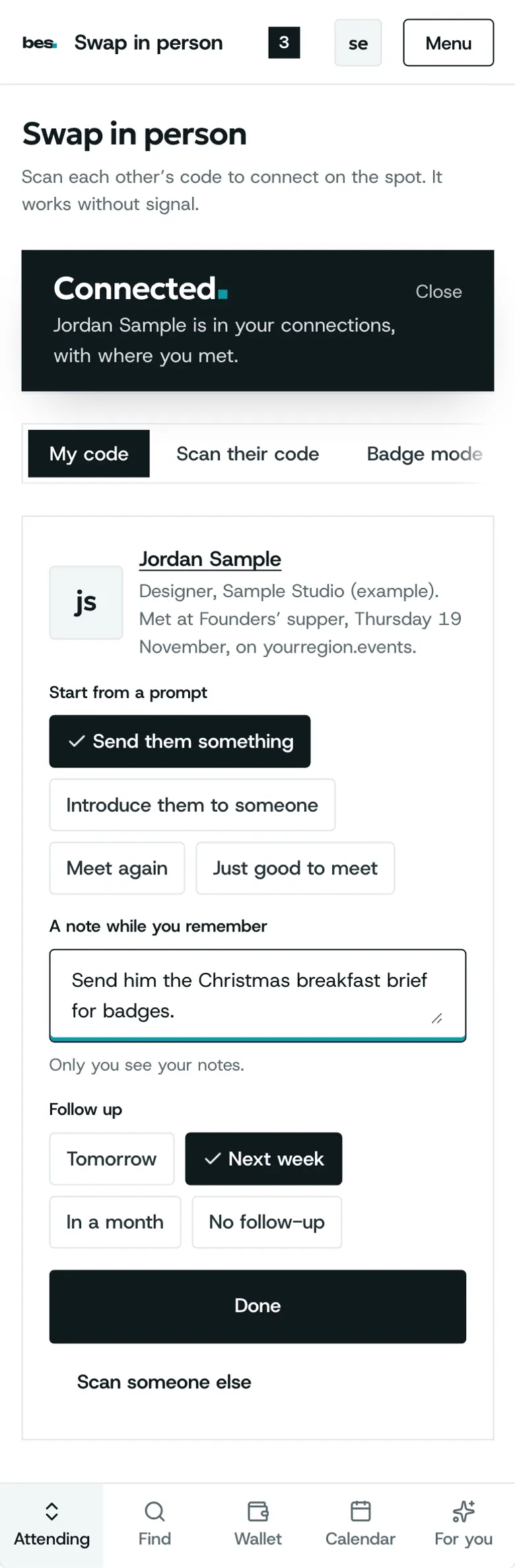
Step 3: Connected
Add a note and a follow-up while you remember.
Related guides
- RelatedFollow up with peopleSet a follow-up on anyone in Your people; we remind you on the day.Read the guide
- RelatedAsk to meet, or answer an askPick a moment and write a short note; they accept with a line saying where to find them, or say not this time.Read the guide
More about this on Meeting people, one of our feature pages.
Was this helpful?
Reviewed 12 November 2026 and checked against the app that day. General information as at 12 November 2026, not legal, tax or financial advice. Screens show example data.