Import events from a spreadsheet
Upload a spreadsheet, match its columns, check, and import.
For organisers. You need an organisation first.
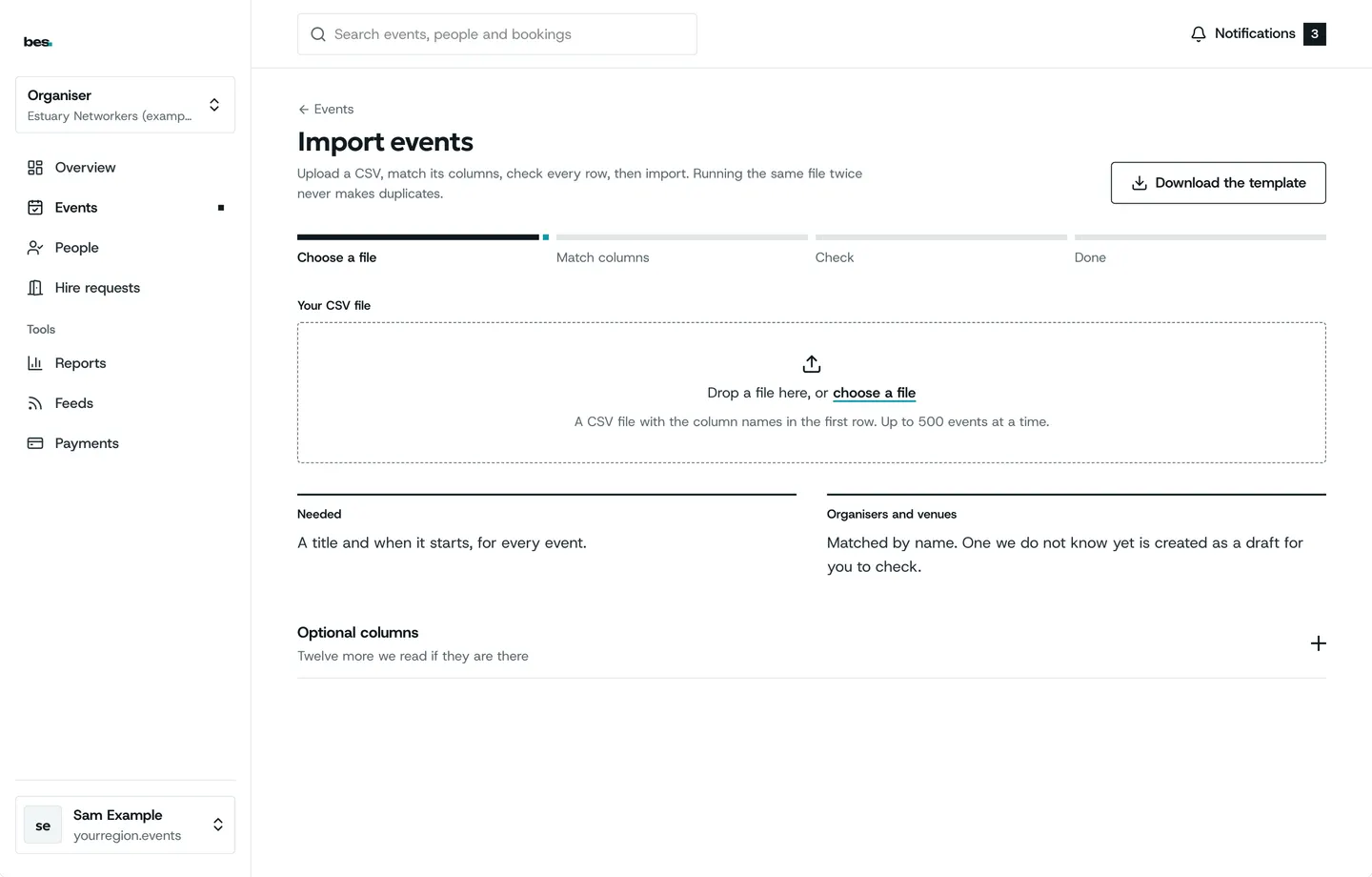
Step by step
Step 1: Upload
Start from the template, or a spreadsheet saved as CSV, one event a row.
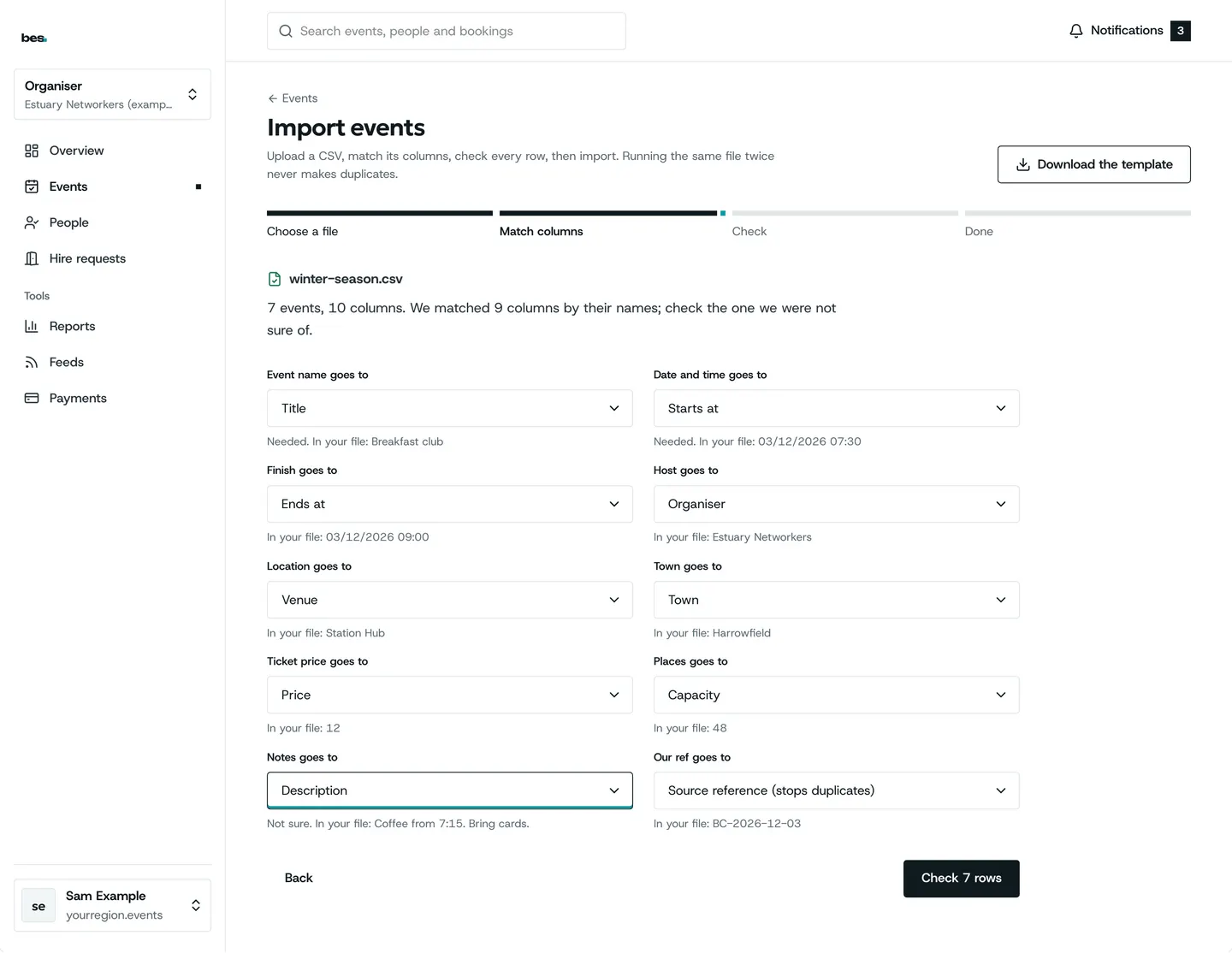
Step 2: Match the columns
Say which column is the title, the date and so on.
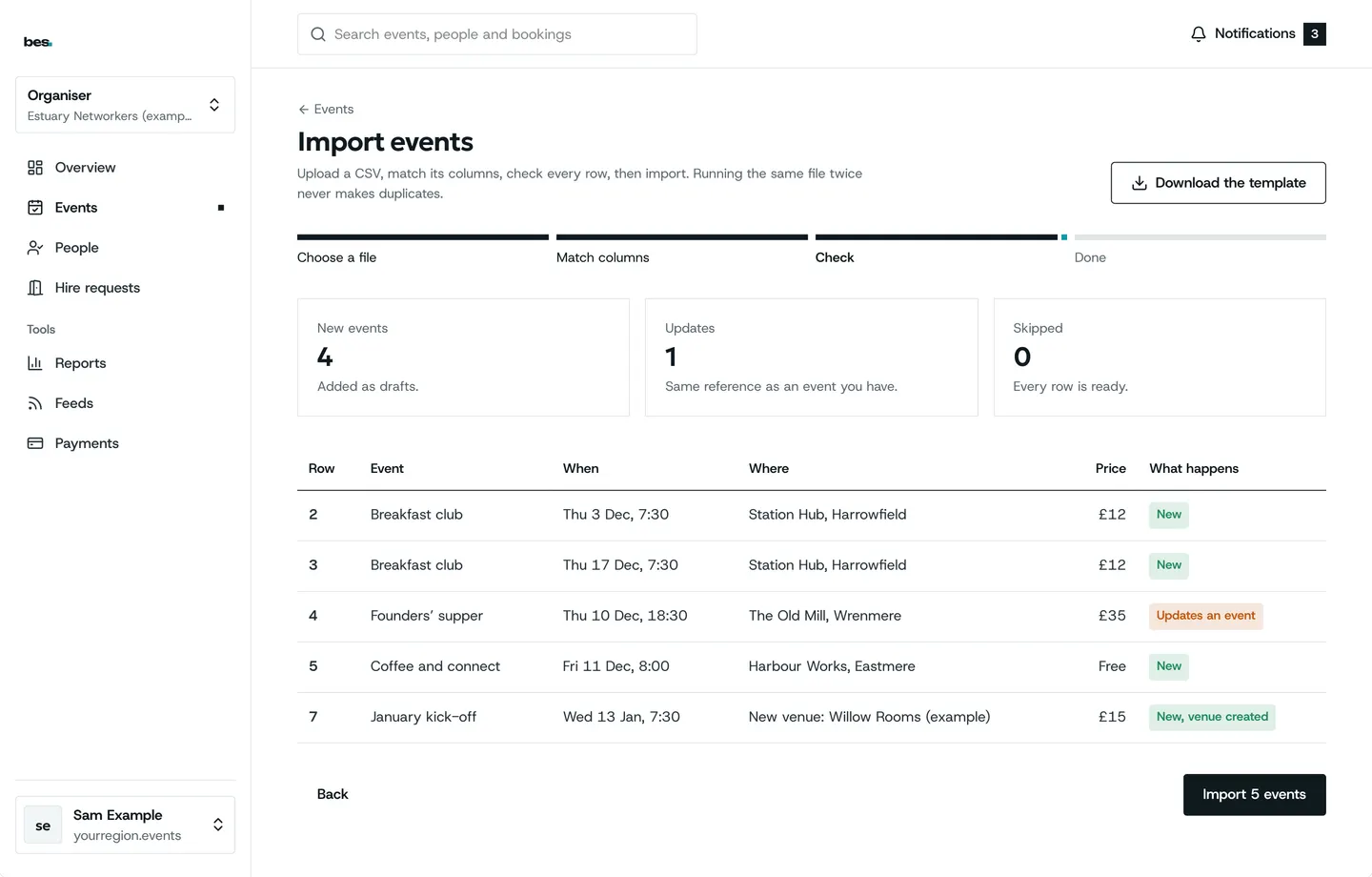
Step 3: Check
Each row says what it needs; fix a row in place.
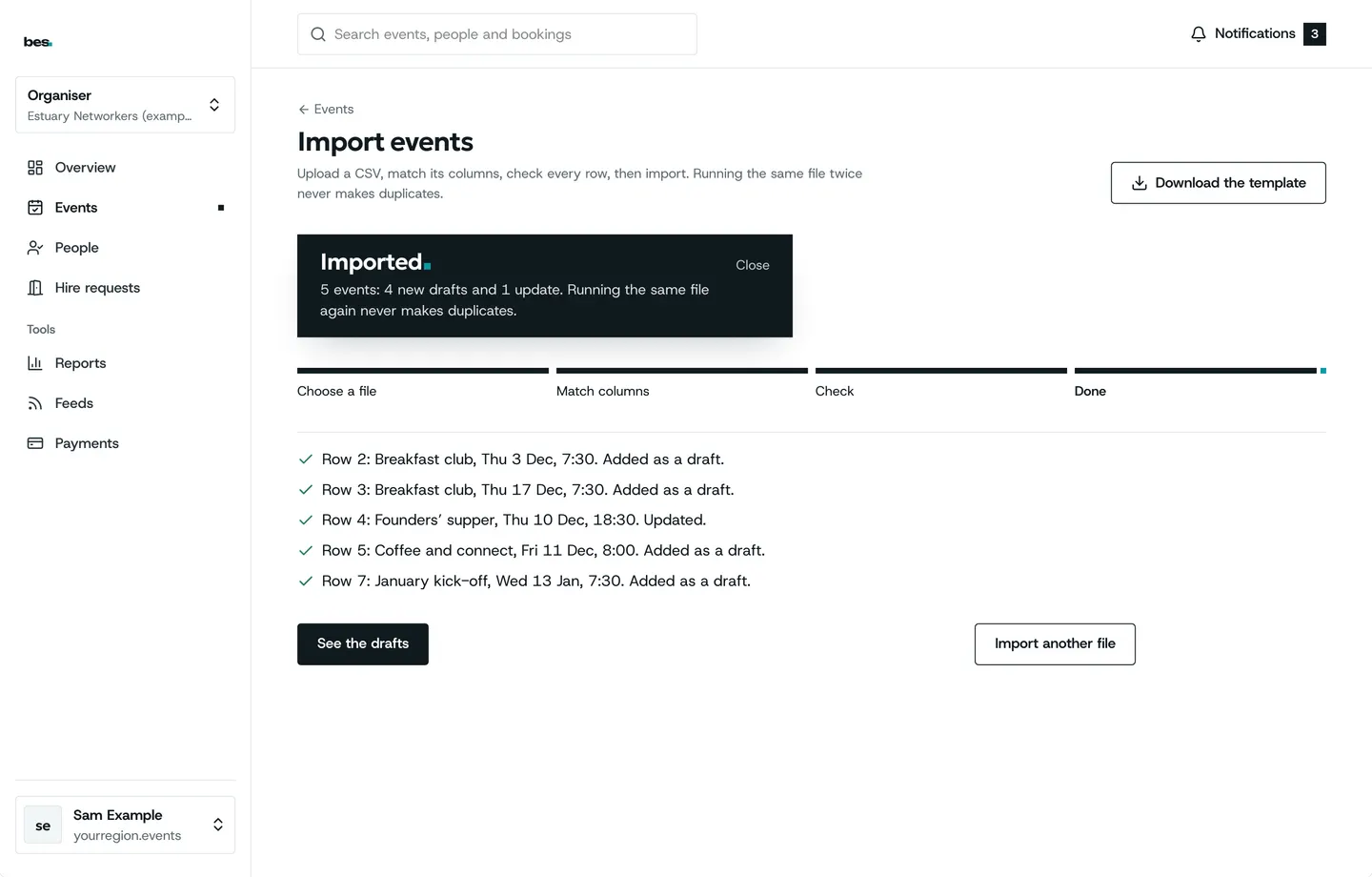
Step 4: Imported
Row by row results; a date already listed is never added twice.
If something is wrong
If the import stops with an error, the message names the row and the column; fix it and upload again.
Related guides
More about this on Listings and series, one of our feature pages.
Was this helpful?
Reviewed 12 November 2026 and checked against the app that day. General information as at 12 November 2026, not legal, tax or financial advice. Screens show example data.