Your events and each event’s page
Events lists every event you run, with what each needs; open one for its bookings, tickets, requests, check-in and edit in one place.
For organisers. You need an organisation first.
Step by step
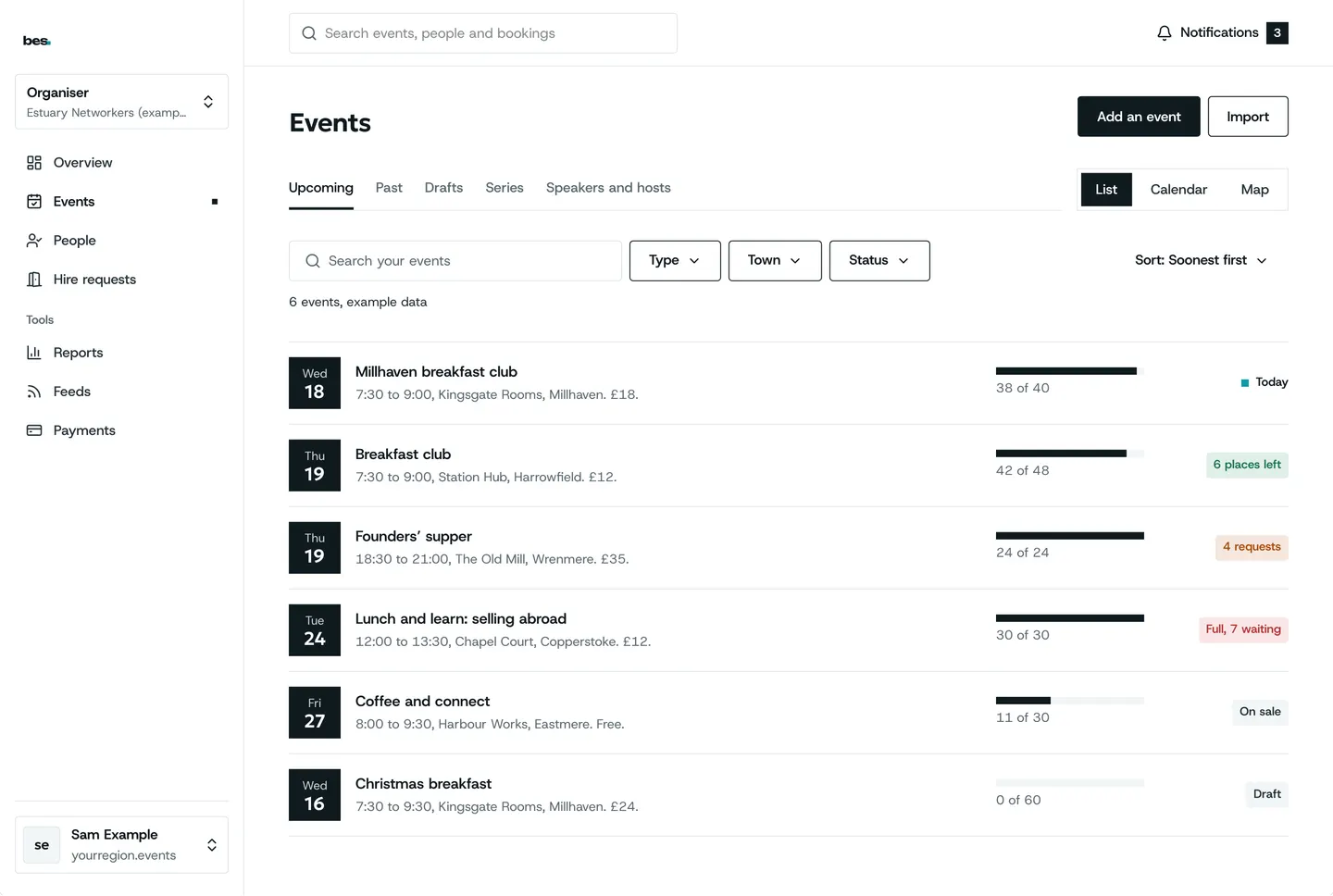
Step 1: Events
Search, filter and sort; each row says what it needs next.
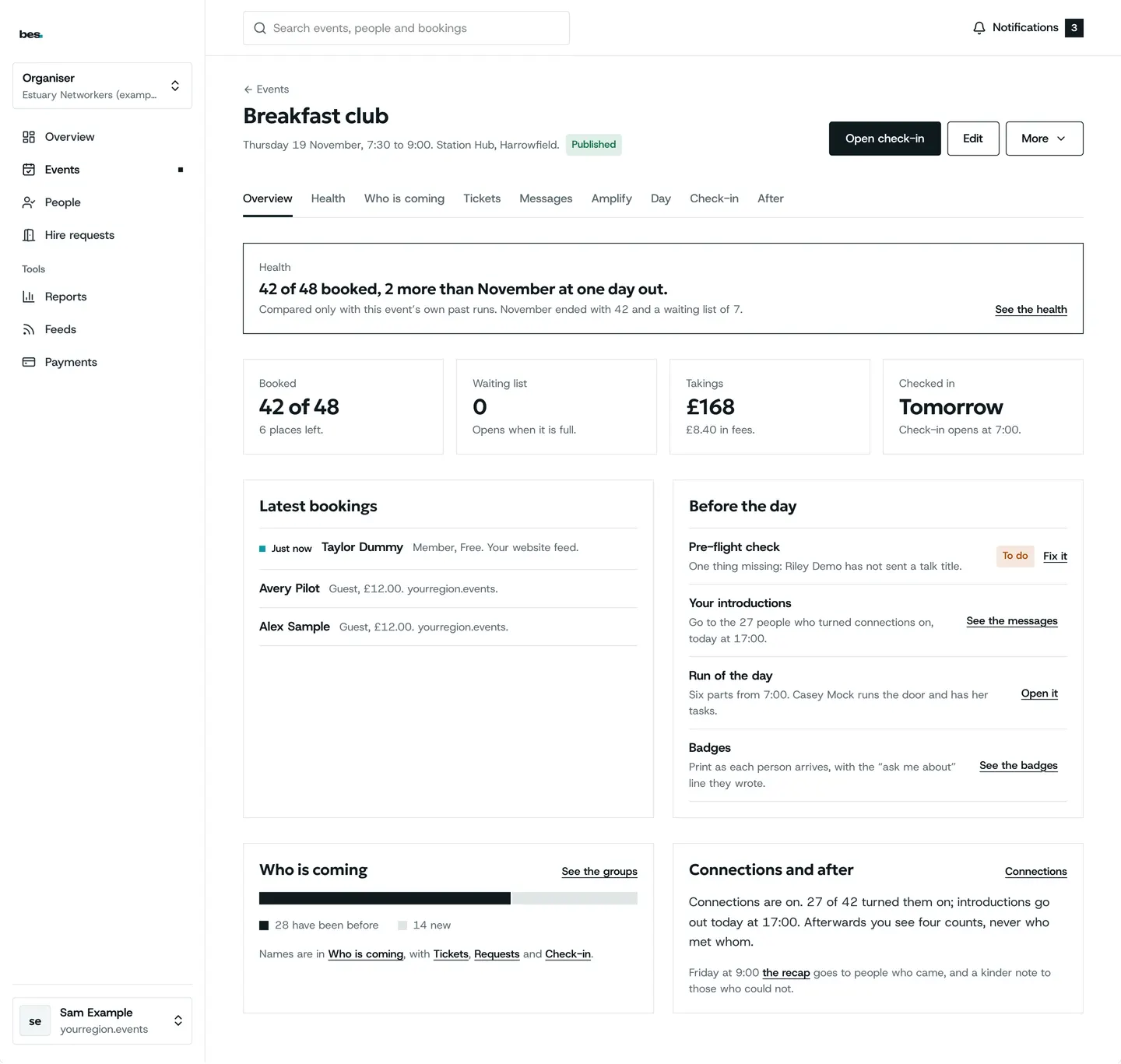
Step 2: One event
Booked, waiting and checked in, with every part of the event a step away.
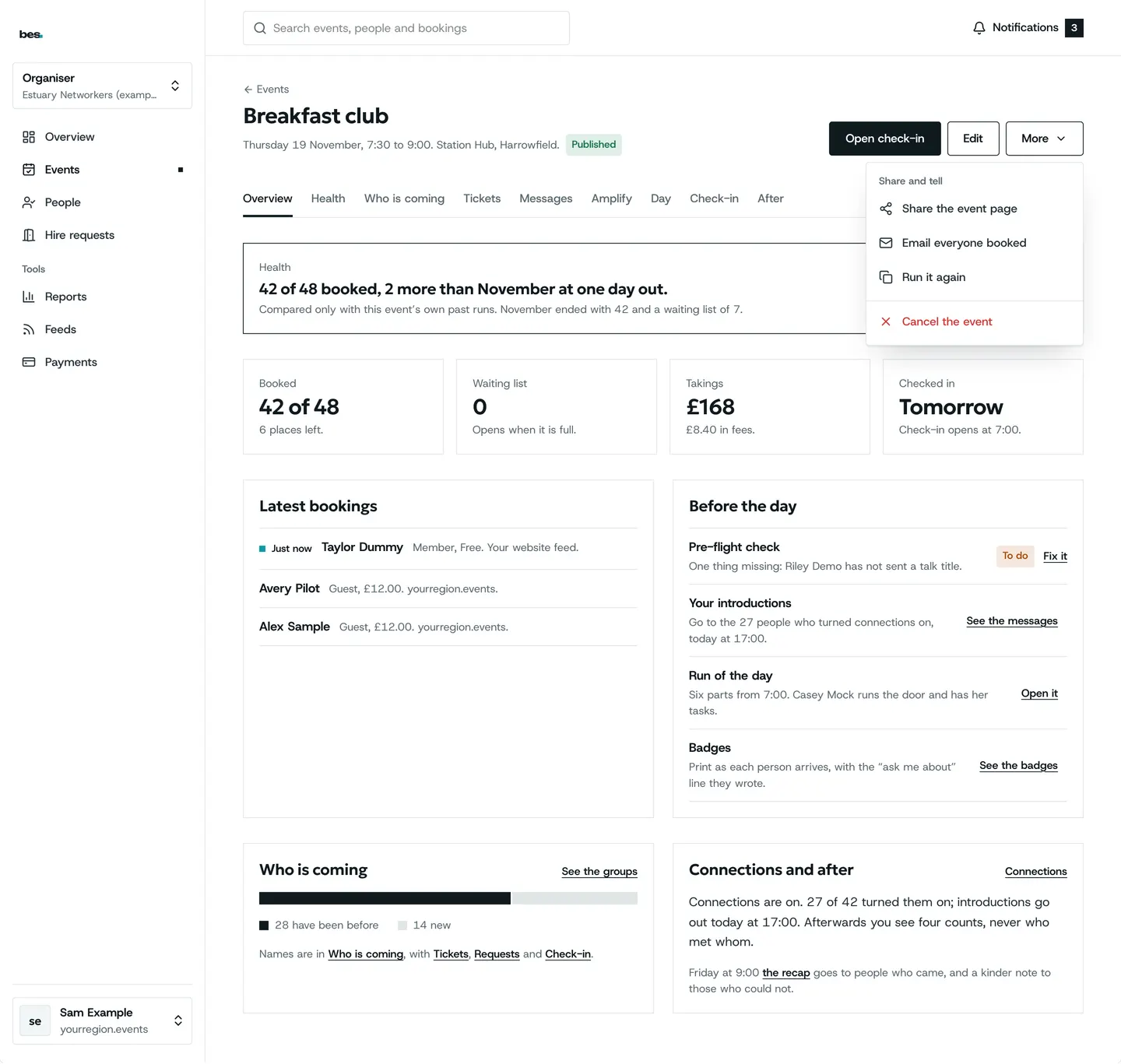
Step 3: More
Email everyone booked, or cancel the event, from More.
Related guides
- RelatedYour week at a glanceYour home shows what is on this week and the few things that need you: requests, events waiting for review, places to fill.Read the guide
- RelatedMove or cancel a dateChange the date in the editor, or Cancel the event from its overview; everyone booked is told.Read the guide
- RelatedOne event’s numbersThe event’s overview shows bookings and who checked in.Read the guide
More about this on Listings and series, one of our feature pages.
Was this helpful?
Reviewed 12 November 2026 and checked against the app that day. General information as at 12 November 2026, not legal, tax or financial advice. Screens show example data.