Events on an organiser’s own website
Some organisers show the platform’s events on their own website, in their own style; open one and book as you would on the platform.
For people who go. Nothing needed first.

Step by step
Step 1: A list on their site
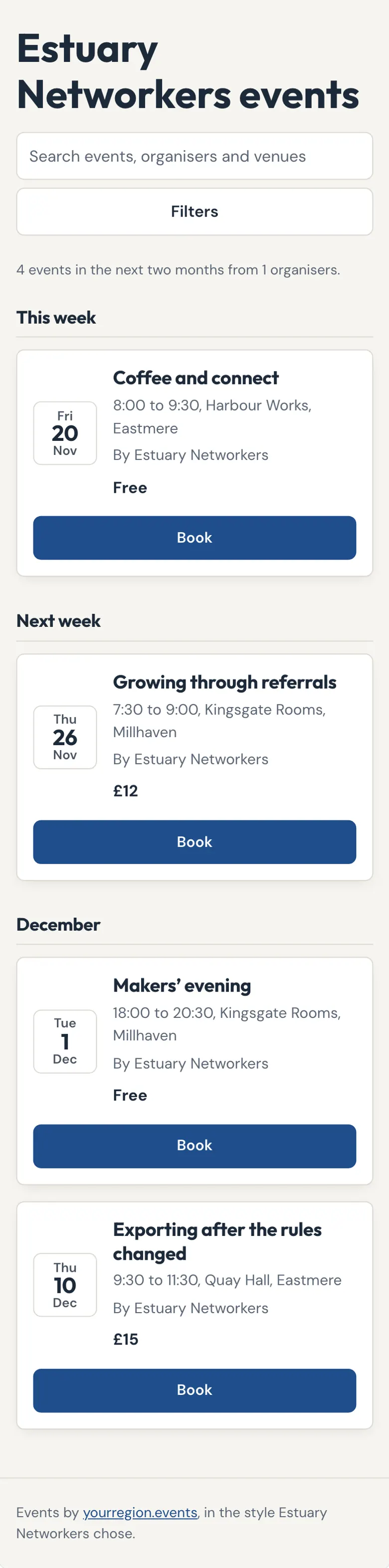
The events sit on the organiser’s own page, in its colours, with the platform named underneath.
Step 2: Open an event
The whole event page, inside their site.

Step 3: Its own address
Every list also has its own page on the platform, to share.
Good to know
Visits are never counted inside a list on someone else’s site.
Related guides
- RelatedFind eventsAll events shows every event as a list, a calendar or a map; search and filters narrow it down.Read the guide
- RelatedBook a free placeChoose Book on the event, give your name, and your QR pass arrives at once.Read the guide
- RelatedFind an organiser’s eventsOrganisers lists everyone who runs events on the platform; open one to see what they have coming up and what they ran before.Read the guide
More about this on Your events on your website, one of our feature pages.
Was this helpful?
Reviewed 12 November 2026 and checked against the app that day. General information as at 12 November 2026, not legal, tax or financial advice. Screens show example data.