Finding and booking
Find events near you, book a place, pay, and cancel.
15 guides in 3 parts.
/
Try , , . Press / to search from anywhere on the page.
Finding events
7 guides

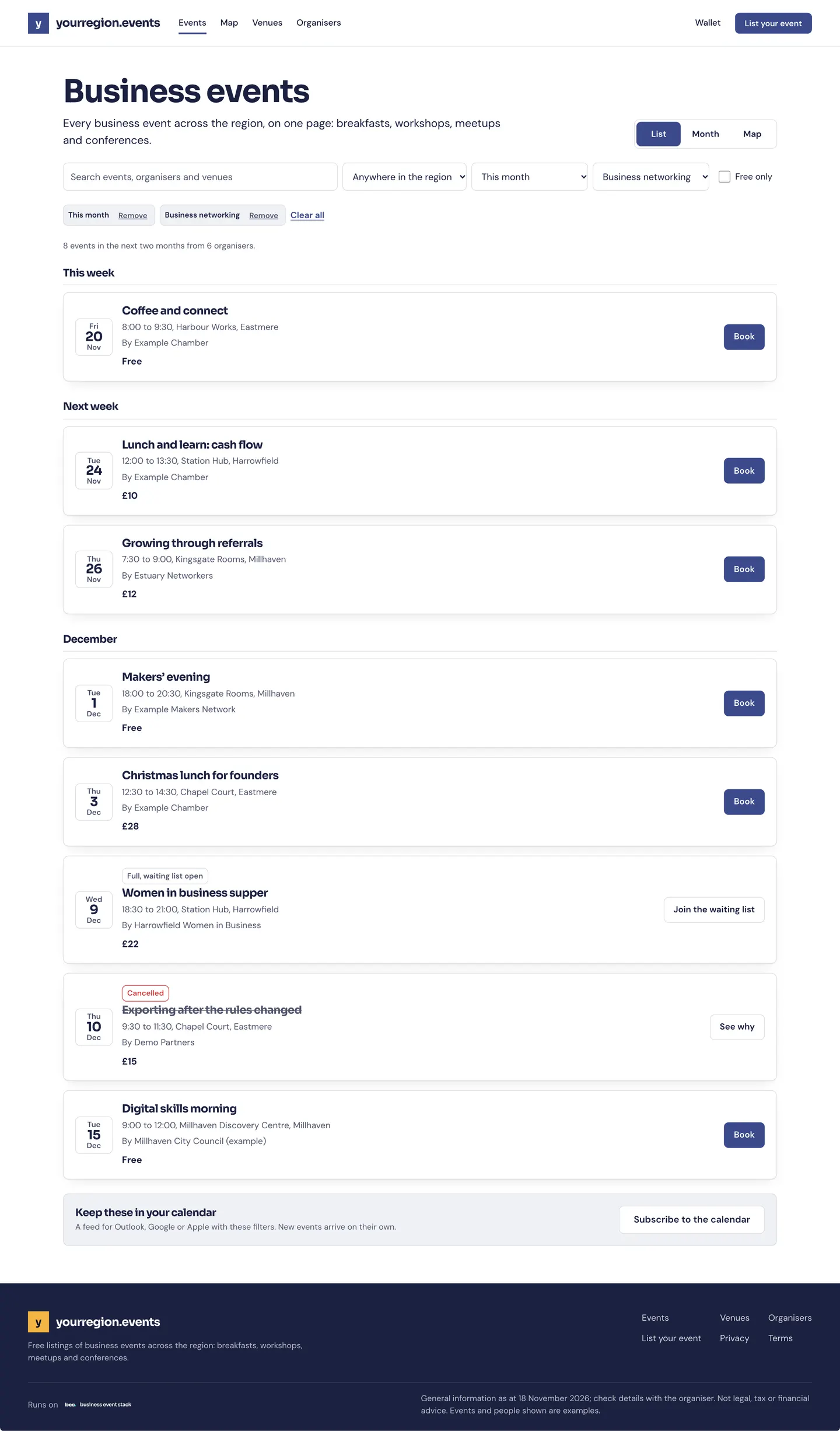
- Find eventsAll events shows every event as a list, a calendar or a map; search and filters narrow it down.For people who go. 4 steps. Partly in the app.Read the guide
- See events near youOpen the map in All events and allow your location, or type a postcode.For people who go. 2 steps.Read the guide
- Save an event or a searchChoose Save on an event, or save your filters; both are kept in this browser.For people who go. 2 steps. Partly in the app.Read the guide
- Events picked for youFor you picks events like the ones you have booked; it says why for each.For people who go. 2 steps.Read the guide
- Find an organiser’s eventsOrganisers lists everyone who runs events on the platform; open one to see what they have coming up and what they ran before.For people who go. 3 steps.Read the guide
- Events on an organiser’s own websiteSome organisers show the platform’s events on their own website, in their own style; open one and book as you would on the platform.For people who go. 3 steps.Read the guide
- Events sold on another siteSome organisers sell places on their own site: Book takes you there.For people who go. 1 step.Read the guide
Booking a place
6 guides

- Book a free placeChoose Book on the event, give your name, and your QR pass arrives at once.For people who go. 4 steps.Read the guide
- Buy ticketsChoose Book, pick your tickets and pay by card; your pass and receipt come straight away.For people who go. 4 steps. Partly in the app.Read the guide
- Join a waiting listOn a full event, choose Join the waiting list; places go in the order people joined.For people who go. 2 steps. Partly in the app.Read the guide
- Ask for a placeSome events ask the organiser to approve each place: choose Request a place and you hear back by email.For people who go. 2 steps.Read the guide
- Pay a membershipWhere a platform charges a membership, it asks when you join and you pay by card.For people who go, organisers and venues. Steps on the way.Read the guide
- Ask to hire a roomOn a venue’s page, choose a room and Ask to hire; the venue replies with a yes, a no or a quote.For people who go and organisers. 4 steps.Read the guide
Changing a booking
2 guides

- Cancel a bookingOpen the booking from your home and choose Cancel my place; the place goes to the waiting list.For people who go. 2 steps.Read the guide
- RefundsA refund goes back to the card you paid with, usually within five to ten working days of the organiser making it.For people who go. 1 step.Read the guide
Other topics
- Getting started9 guidesOpen
- Your passes and the day5 guidesOpen
- Calendars3 guidesOpen
- Running events19 guidesOpen
- Bookings and tickets9 guidesOpen
- Check-in5 guidesOpen
- Money4 guidesOpen
- Your website4 guidesOpen
- People and reports2 guidesOpen
- Venues and rooms11 guidesOpen
- Your platform23 guidesOpen
- Your data and privacy5 guidesOpen
Still stuck
Ask a person
- Booked on an event
The team that runs your platform can help with bookings and tickets; their address is in every email they send you.
- Running a platform
[email protected]. We usually reply within two working days.
- Something is broken
Report a problem: say what you did and what you saw.
- About your data
Security and your data says what is held and who sees it.