Your account and settings
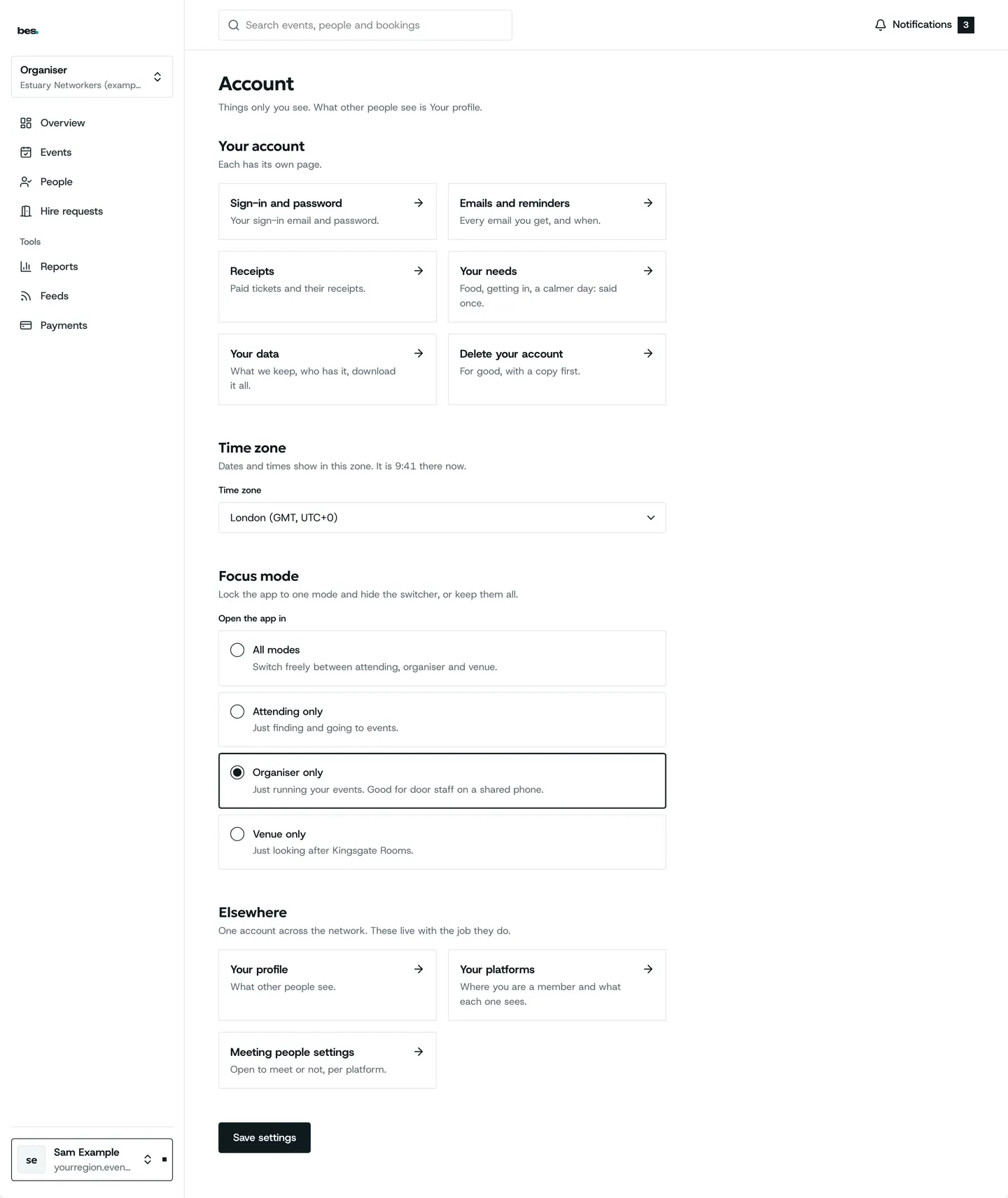
Account holds what only you see: your name and job, your sign-in email and password, your time zone and which emails you get.
For people who go, organisers, venues and platform owners. You need an account first.
Step by step
Step 1: Open Account
From the menu under your name. Your name, job and industries are separate from any organisation or venue you run.
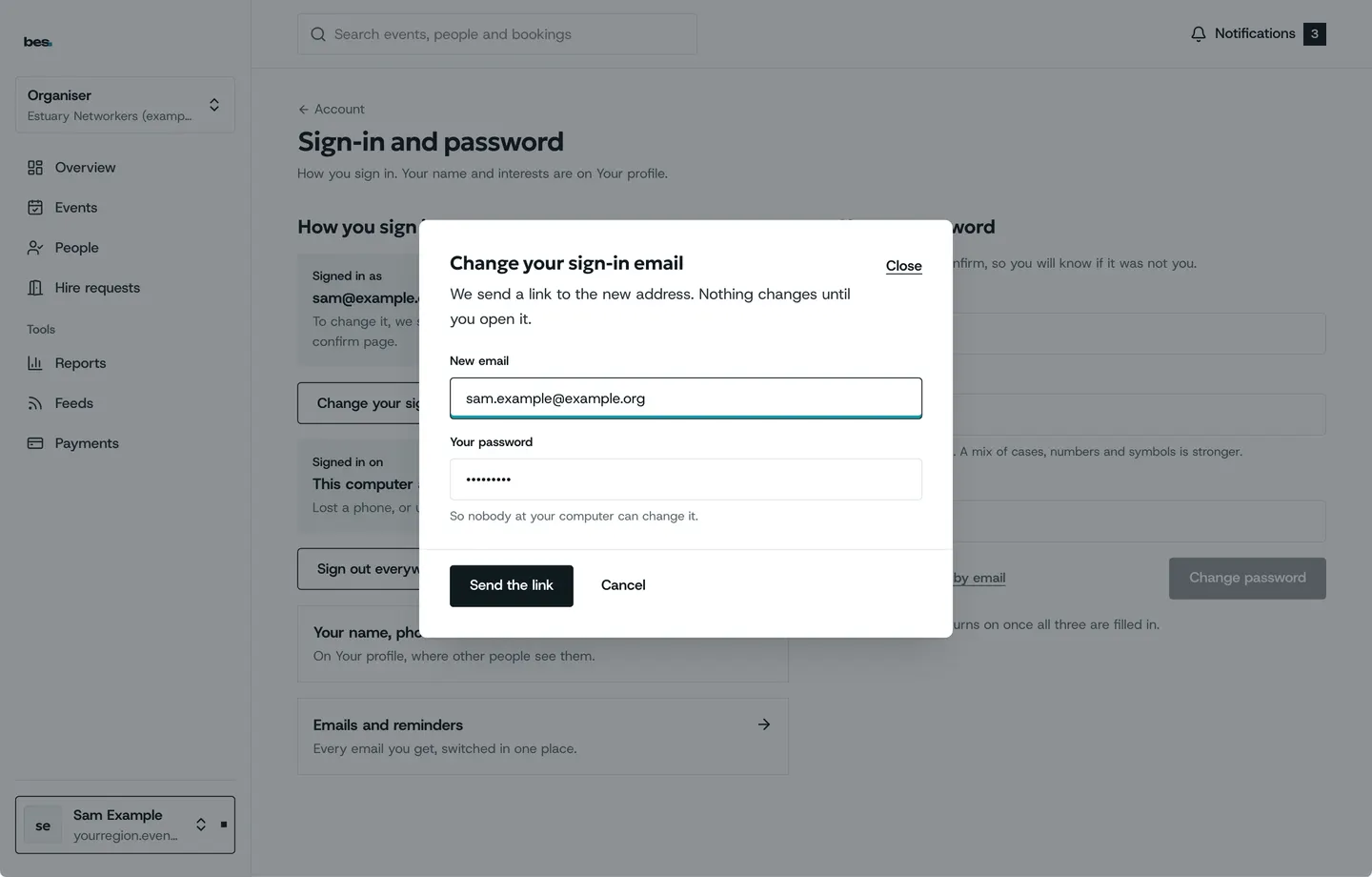
Step 2: Change your sign-in email
Under Sign-in and password. We send a code to the new address before it changes.
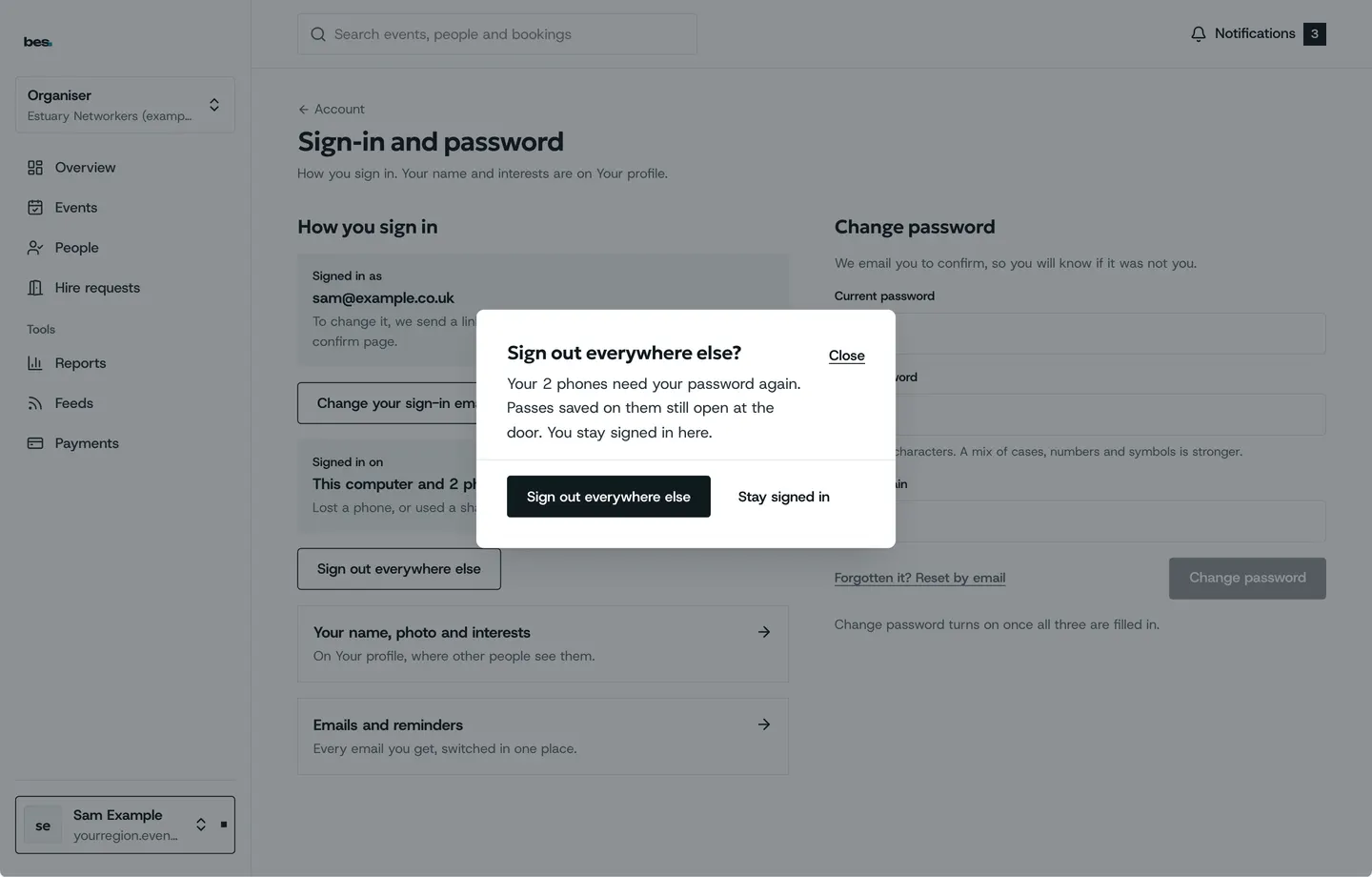
Step 3: Sign out everywhere
If you signed in on a shared computer, sign out of every device at once, asked first.
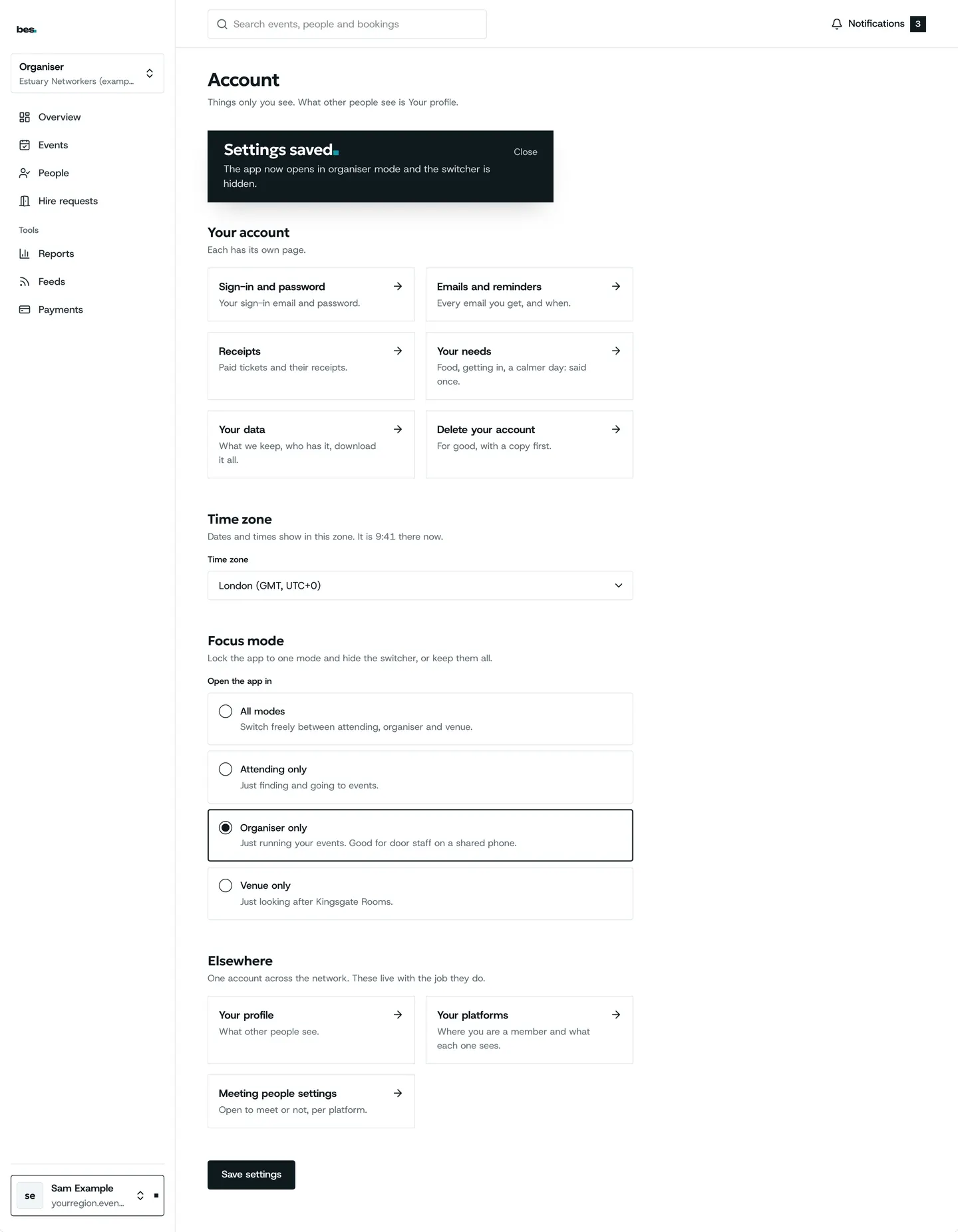
Step 4: Saved
Dates show in the time zone you chose, on every platform.
Good to know
Your account is yours, not your organisation’s: leaving a team does not close it.
Related guides
- RelatedSign in, reset or change a passwordSign in with your email and password; reset a forgotten password from Sign in.Read the guide
- RelatedChoose what you are told aboutNotifications lists what has happened; Account says which emails you get.Read the guide
- RelatedDownload your dataAsk from Account and we send a file of everything held about you.Read the guide
More about this on Emails, reminders and notifications, one of our feature pages.
Was this helpful?
Reviewed 12 November 2026 and checked against the app that day. General information as at 12 November 2026, not legal, tax or financial advice. Screens show example data.