Buy tickets
Choose Book, pick your tickets and pay by card; your pass and receipt come straight away.
For people who go. You need an account first.
Partly in the app.The full price with fees shows at checkout, not yet on the ticket picker.
Step by step
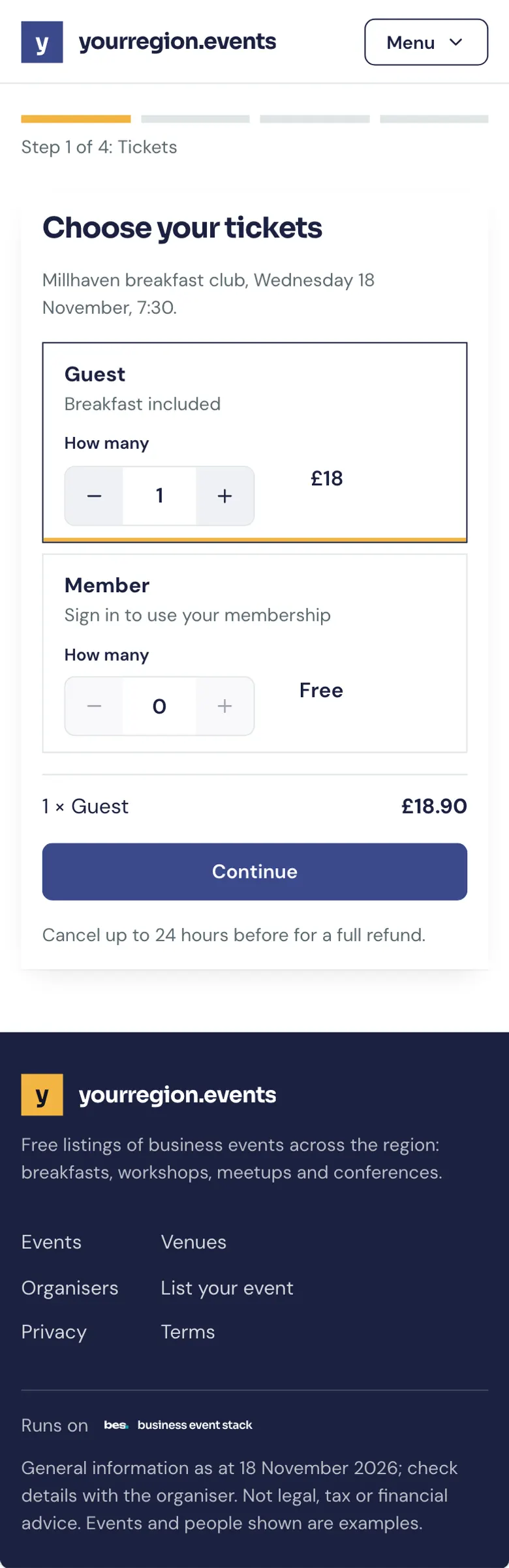
Step 1: Pick your tickets
Each ticket type says what it includes and the price.
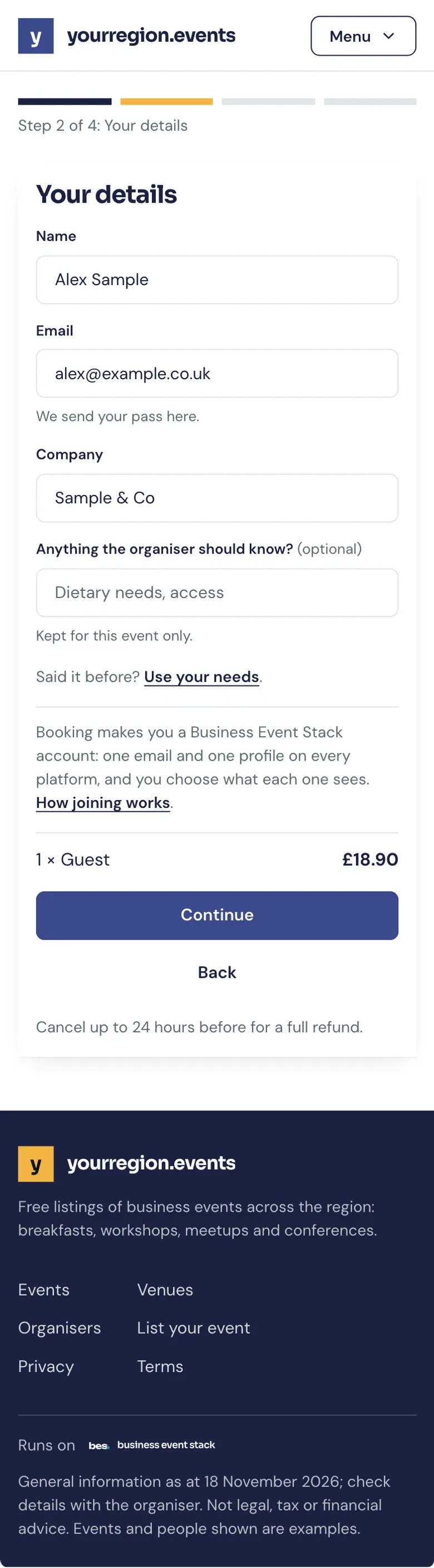
Step 2: Your details
Who the places are for.
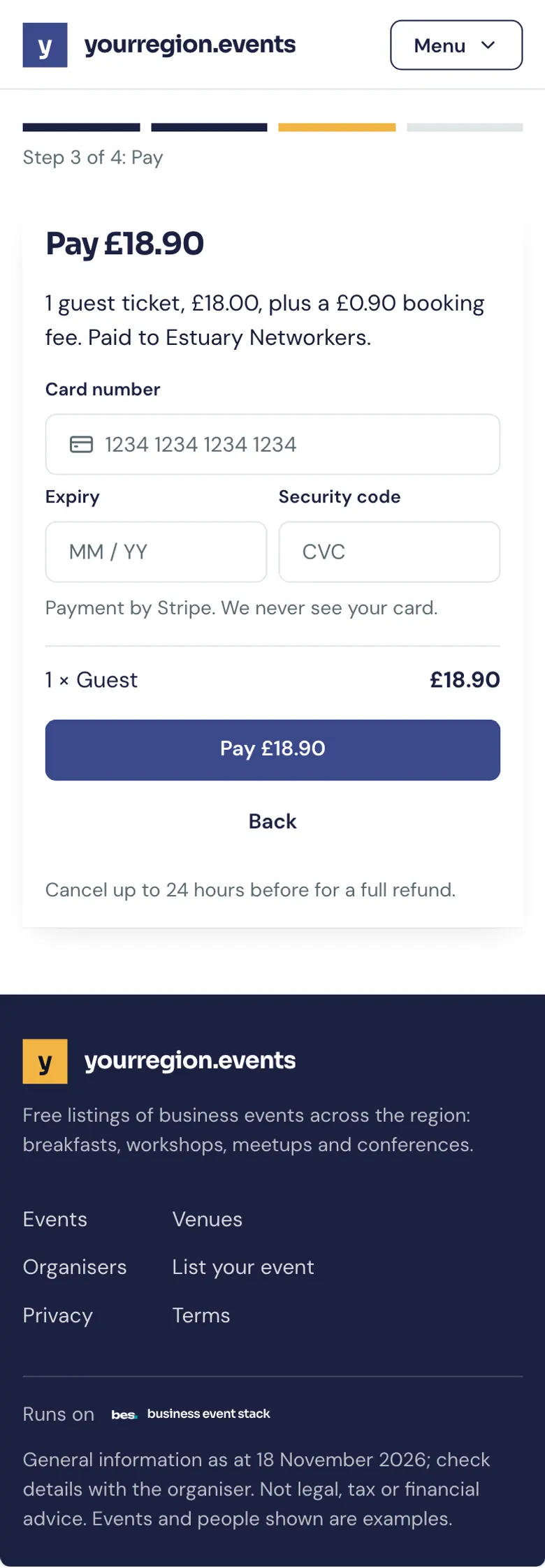
Step 3: Pay
Pay by card or Apple Pay or Google Pay. Card details go to Stripe, never to the organiser.
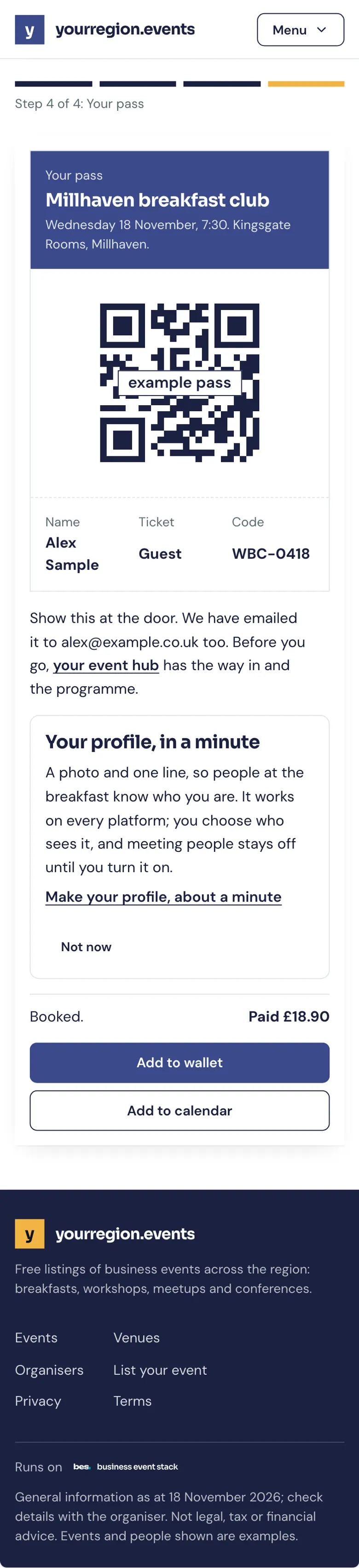
Step 4: Your pass
Your QR pass and receipt arrive by email too.
If something is wrong
If the payment is declined, nothing is taken; try another card or ask your bank.
What’s next
- NextFind your passYour QR pass is in the booking email and on your home; show it at the door.Read the guide
- RelatedRefundsA refund goes back to the card you paid with, usually within five to ten working days of the organiser making it.Read the guide
- RelatedFind a receiptYour receipt comes by email when you pay; it is also on the booking.Read the guide
More about this on Payments and memberships, one of our feature pages.
Was this helpful?
Reviewed 12 November 2026 and checked against the app that day. General information as at 12 November 2026, not legal, tax or financial advice. Screens show example data.